Jump to content
View in the app

A better way to browse. Learn more.

Surly Horns

A full-screen app on your home screen with push notifications, badges and more.

To install this app on iOS and iPadOS
  1. Tap the Share icon in Safari
  2. Scroll the menu and tap Add to Home Screen.
  3. Tap Add in the top-right corner.
To install this app on Android
  1. Tap the 3-dot menu (⋮) in the top-right corner of the browser.
  2. Tap Add to Home screen or Install app.
  3. Confirm by tapping Install.
Football ... Basketball ... Baseball ... Other Sports ... Futbol ... 🤫995🤫 ... Gambling ... Movies & TV ... Music ... Hobbies ... Lulz ... Food & Travel ... Daily Texan ... Business & Markets ... Cloak Room ... Help ... For Sale ... Board Discussion ... Advertise... Tailgate Donations

GrahamCracker

Legacy Members
  • Joined

  • Last visited

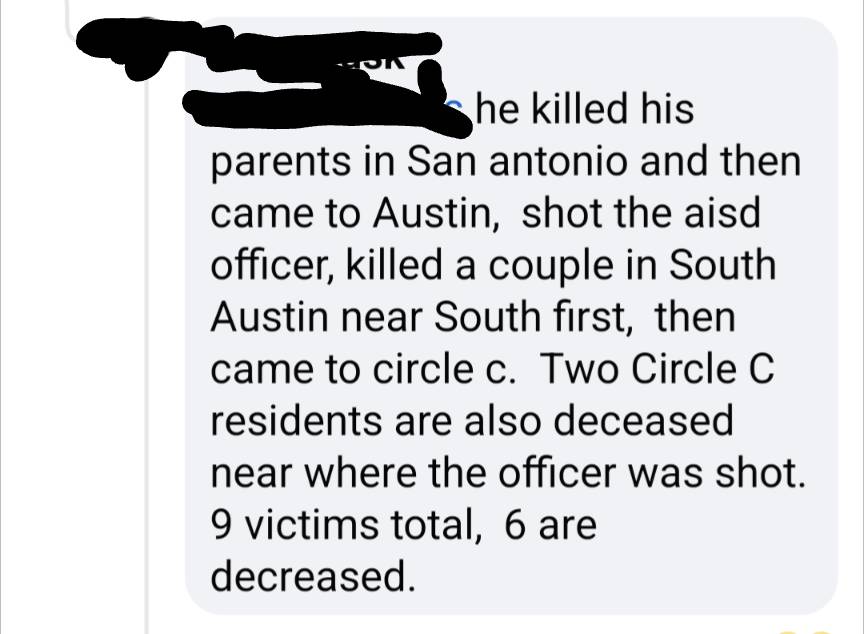
  1. It was the Circle C Facebook group. I also have friends who lived across the street who came and stayed at our house last night that were able to provide more info from immediate neighbors.
  2. And by 27th -30th I mean Jan, 2022. Sent from my Pixel 6 using Tapatalk
  3. We have 3 couples, early 40s wanting to visit for the 27th through 30th. Secreto is where I've stayed before but they are booked. We want to eat, drink, and be merry without our goddamn (wonderful) children. All suggestions welcome. Sent from my Pixel 6 using Tapatalk
  4. Wife and I are headed there in late July early August for a quick getaway to celebrate my 40th birthday. Narrowed it down to Privileges or Secreto. Which would y'all recommend?

Football ... Basketball ... Baseball ... Other Sports ... Futbol ... 🤫995🤫 ... Gambling ... Movies & TV ... Music ... Hobbies ... Lulz ... Food & Travel ... Daily Texan ... Business & Markets ... Cloak Room ... Help ... For Sale ... Board Discussion ... Advertise... Tailgate Donations

Configure browser push notifications

Chrome (Android)
  1. Tap the lock icon next to the address bar.
  2. Tap Permissions → Notifications.
  3. Adjust your preference.
Chrome (Desktop)
  1. Click the padlock icon in the address bar.
  2. Select Site settings.
  3. Find Notifications and adjust your preference.