

Bevoette
Full Members
-
Joined
-
Last visited
Everything posted by Bevoette
-
 It's a wonderful knife
 -
I've always thought of them as trailer park u.
-
I call him Rich Barnes 😁, oh goodness, the old board days
-
Leave the World Behind, good movie
Mahomes. Mahyeahyeah
 Loud eaters and talking with a mouth full of food.
Nope. Wrong thread lmao. I'm distracted, watch the Longhorn, Bama game.
Loud eaters and talking with a mouth full of food!
We better fucking kick the Huskies ass! I made a bet that we'd win! .25 cents lmao but we shook on it
Ducks be sayin'
Loud eaters and talking with a mouth full of food.
Nope. Wrong thread lmao. I'm distracted, watch the Longhorn, Bama game.
Loud eaters and talking with a mouth full of food!
We better fucking kick the Huskies ass! I made a bet that we'd win! .25 cents lmao but we shook on it
Ducks be sayin' I've been searching, can't find it 😕
 I think 🤔 the CFP is a big political mess right now.
Texas had more yards in 1 qrt than Michigan all game
Planet 9
Plummer needs to be flushed. Down the toilet
Louisville
I think 🤔 the CFP is a big political mess right now.
Texas had more yards in 1 qrt than Michigan all game
Planet 9
Plummer needs to be flushed. Down the toilet
Louisville Plumber sucks ass! And not in a good way 🤭
Bevo, "I crap bigger than you"
Plumber sucks ass! And not in a good way 🤭
Bevo, "I crap bigger than you"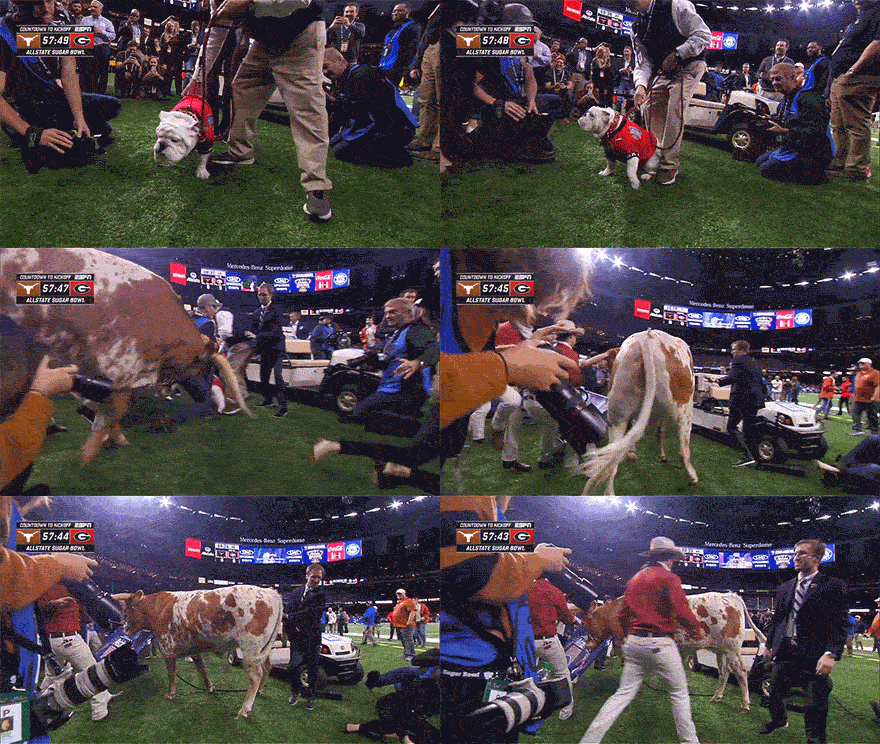











Football ...
Basketball ...
Baseball ...
Other Sports ...
Futbol ...
🤫995🤫 ...
Gambling ...
Movies & TV ...
Music ...
Hobbies ...
Lulz ...
Food & Travel
...
Daily Texan ...
Business & Markets ...
Cloak Room ...
Help ...
For Sale ...
Board Discussion ...
Advertise...
Tailgate Donations
Account
Search
Configure browser push notifications
Chrome (Android)
- Tap the lock icon next to the address bar.
- Tap Permissions → Notifications.
- Adjust your preference.
Chrome (Desktop)
- Click the padlock icon in the address bar.
- Select Site settings.
- Find Notifications and adjust your preference.
Safari (iOS 16.4+)
- Ensure the site is installed via Add to Home Screen.
- Open Settings App → Notifications.
- Find your app name and adjust your preference.
Safari (macOS)
- Go to Safari → Preferences.
- Click the Websites tab.
- Select Notifications in the sidebar.
- Find this website and adjust your preference.
Edge (Android)
- Tap the lock icon next to the address bar.
- Tap Permissions.
- Find Notifications and adjust your preference.
Edge (Desktop)
- Click the padlock icon in the address bar.
- Click Permissions for this site.
- Find Notifications and adjust your preference.
Firefox (Android)
- Go to Settings → Site permissions.
- Tap Notifications.
- Find this site in the list and adjust your preference.
Firefox (Desktop)
- Open Firefox Settings.
- Search for Notifications.
- Find this site in the list and adjust your preference.