Jump to content
View in the app

A better way to browse. Learn more.

Surly Horns

A full-screen app on your home screen with push notifications, badges and more.

To install this app on iOS and iPadOS
  1. Tap the Share icon in Safari
  2. Scroll the menu and tap Add to Home Screen.
  3. Tap Add in the top-right corner.
To install this app on Android
  1. Tap the 3-dot menu (⋮) in the top-right corner of the browser.
  2. Tap Add to Home screen or Install app.
  3. Confirm by tapping Install.
Football ... Basketball ... Baseball ... Other Sports ... Futbol ... 🤫995🤫 ... Gambling ... Movies & TV ... Music ... Hobbies ... Lulz ... Food & Travel ... Daily Texan ... Business & Markets ... Cloak Room ... Help ... For Sale ... Board Discussion ... Advertise... Tailgate Donations

Bevoette

Full Members
  • Joined

  • Last visited

Everything posted by Bevoette

  1. I told tceh to enjoy that TD, It was gonna be the only one that they'd get
  2. Sit Worthy and Quinn out now
  3. Never in my life 🤣🤣🤣🤣🤣 pick 6
  4. Best wishes to him..
  5. Quinn is kinda pissing me the fuck off.
  6. Jesus! So many injuries! Long ass game
  7. Holy crap! That was awesome
  8. Get to the redzone. Can't get INTO the endzone.
  9. Bet it was hard for that asshat to confirm that INT
  10. Let's fucking score! 27 -7 would be nice
  11. Really tired of the refs, give a yard take a yard bullshit against Texas.
  12. Well , shit. We let them score
  13. Let's Fuckin' Go !!
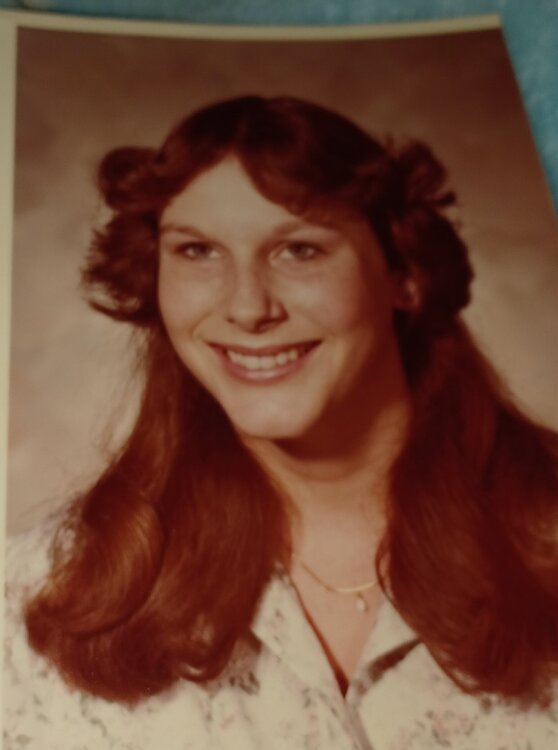
  14. Makes me LMAO 🤣 the hair! Sr. Year HS 1980
  15. It was enough 😁
  16. Feed the ball to Baxter and Blue
  17. Only when a Texas player does it.
  18. We need to eat clock and score another TD
Football ... Basketball ... Baseball ... Other Sports ... Futbol ... 🤫995🤫 ... Gambling ... Movies & TV ... Music ... Hobbies ... Lulz ... Food & Travel ... Daily Texan ... Business & Markets ... Cloak Room ... Help ... For Sale ... Board Discussion ... Advertise... Tailgate Donations

Configure browser push notifications

Chrome (Android)
  1. Tap the lock icon next to the address bar.
  2. Tap Permissions → Notifications.
  3. Adjust your preference.
Chrome (Desktop)
  1. Click the padlock icon in the address bar.
  2. Select Site settings.
  3. Find Notifications and adjust your preference.