

maninblack
Burnt Ends
-
Joined
-
Last visited
Everything posted by maninblack
-
 I'm still skeptical that we get to see the whole picture but fingers crossed
 -
This has been infuriating to watch
-
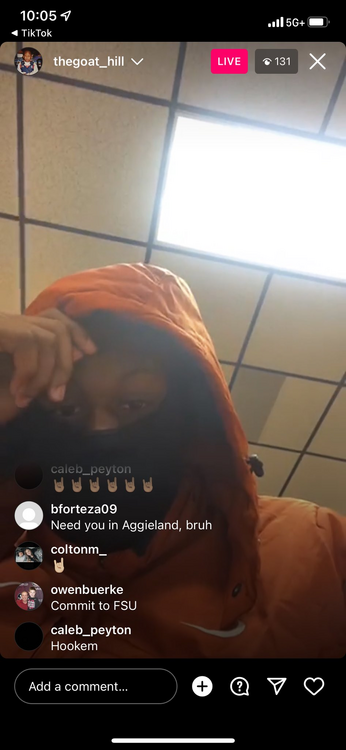
He's wearing Texas gear. Calculator 😂
-
-
Brick for Vic baby!
-
Newcastle spent more (net) in the 2022 calendar year than Liverpool have spent since winning the Champions League in 2019.
-
Fify
-
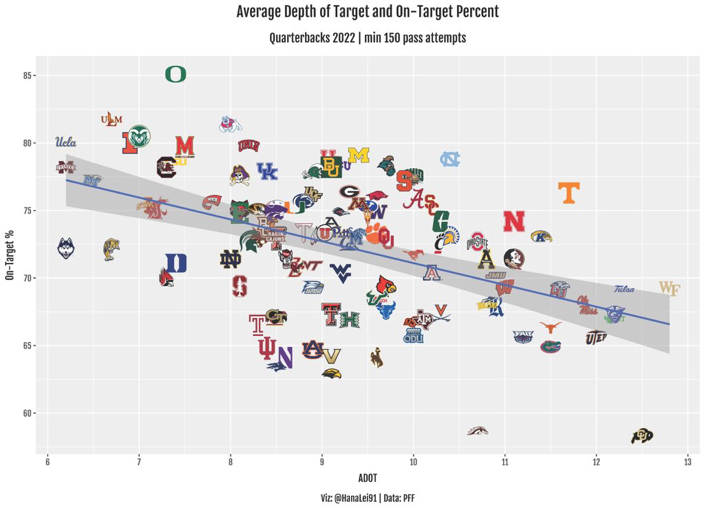
A defense doesn't have to do much when you can't accurately throw a ball
-
https://www.on3.com/db/colin-simmons-25089/
-
Bo finds 1 or 2 every year from around the country that our definitely his guys
Oh hell yeah
Leeeeeroy Jeeeeeeeenkins
What an amazing ride. Love you guys. Fuck this feels good
 He'd fit in
1 billion
same
Football ... Basketball ... Baseball ... Other Sports ... Futbol ... 🤫995🤫 ... Gambling ... Movies & TV ... Music ... Hobbies ... Lulz ... Food & Travel ... Daily Texan ... Business & Markets ... Cloak Room ... Help ... For Sale ... Board Discussion ... Advertise... Tailgate Donations
He'd fit in
1 billion
same
Football ... Basketball ... Baseball ... Other Sports ... Futbol ... 🤫995🤫 ... Gambling ... Movies & TV ... Music ... Hobbies ... Lulz ... Food & Travel ... Daily Texan ... Business & Markets ... Cloak Room ... Help ... For Sale ... Board Discussion ... Advertise... Tailgate Donations









Account
Search
Configure browser push notifications
Chrome (Android)
- Tap the lock icon next to the address bar.
- Tap Permissions → Notifications.
- Adjust your preference.
Chrome (Desktop)
- Click the padlock icon in the address bar.
- Select Site settings.
- Find Notifications and adjust your preference.
Safari (iOS 16.4+)
- Ensure the site is installed via Add to Home Screen.
- Open Settings App → Notifications.
- Find your app name and adjust your preference.
Safari (macOS)
- Go to Safari → Preferences.
- Click the Websites tab.
- Select Notifications in the sidebar.
- Find this website and adjust your preference.
Edge (Android)
- Tap the lock icon next to the address bar.
- Tap Permissions.
- Find Notifications and adjust your preference.
Edge (Desktop)
- Click the padlock icon in the address bar.
- Click Permissions for this site.
- Find Notifications and adjust your preference.
Firefox (Android)
- Go to Settings → Site permissions.
- Tap Notifications.
- Find this site in the list and adjust your preference.
Firefox (Desktop)
- Open Firefox Settings.
- Search for Notifications.
- Find this site in the list and adjust your preference.