

Waterboarder
Full Members
-
Joined
-
Last visited
-
 Fuck that puto
Deepest team of my lifetime. I was a freshman for the Mackovic loss to Rice... This makes my old heart happy.
And that
We're going to be loving that for the next two-three years
Maybe they were just talking about in Ireland?
Never thought I'd hear an Australians are taking our jobs post...
Shortened to Blooch.
Fuck that puto
Deepest team of my lifetime. I was a freshman for the Mackovic loss to Rice... This makes my old heart happy.
And that
We're going to be loving that for the next two-three years
Maybe they were just talking about in Ireland?
Never thought I'd hear an Australians are taking our jobs post...
Shortened to Blooch.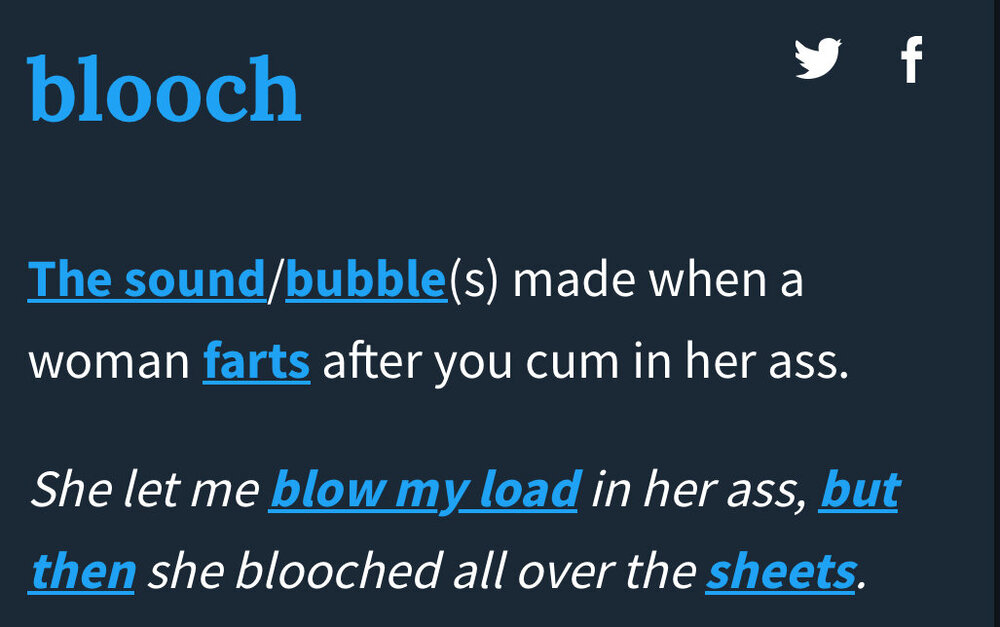 He’s a man. He’s 40
definitely not called for
The reasons are many (dollars owed)
He’s a man. He’s 40
definitely not called for
The reasons are many (dollars owed)



Football ...
Basketball ...
Baseball ...
Other Sports ...
Futbol ...
🤫995🤫 ...
Gambling ...
Movies & TV ...
Music ...
Hobbies ...
Lulz ...
Food & Travel
...
Daily Texan ...
Business & Markets ...
Cloak Room ...
Help ...
For Sale ...
Board Discussion ...
Advertise...
Tailgate Donations
Account
Search
Configure browser push notifications
Chrome (Android)
- Tap the lock icon next to the address bar.
- Tap Permissions → Notifications.
- Adjust your preference.
Chrome (Desktop)
- Click the padlock icon in the address bar.
- Select Site settings.
- Find Notifications and adjust your preference.
Safari (iOS 16.4+)
- Ensure the site is installed via Add to Home Screen.
- Open Settings App → Notifications.
- Find your app name and adjust your preference.
Safari (macOS)
- Go to Safari → Preferences.
- Click the Websites tab.
- Select Notifications in the sidebar.
- Find this website and adjust your preference.
Edge (Android)
- Tap the lock icon next to the address bar.
- Tap Permissions.
- Find Notifications and adjust your preference.
Edge (Desktop)
- Click the padlock icon in the address bar.
- Click Permissions for this site.
- Find Notifications and adjust your preference.
Firefox (Android)
- Go to Settings → Site permissions.
- Tap Notifications.
- Find this site in the list and adjust your preference.
Firefox (Desktop)
- Open Firefox Settings.
- Search for Notifications.
- Find this site in the list and adjust your preference.