
BornAndRaised
Burnt Ends
-
Joined
-
Last visited
Everything posted by BornAndRaised
-
 and finally, before I go back to work. Free commit article from IT: 2026 DB Yaheim Riley commits to Texas - On3
 -
OTF Going live to discuss the commitment: BREAKING: Yaheim Riley COMMITS to Texas! | Longhorns Recruiting News / X
-
Yaheim Riley - Anderson - Safety
-
I took it as sunday night into monday morning. The foot traffic aspect makes more sense now. Apologies,
At the risk of Cloak Rooming this thread. My mom was a police dispatcher for APD for 15 years, so I'm typically very lenient with my accountability of the police department. that being said, In Austin right now if you call for a cop for anything non-life threatening, it can take hours to get one to show up. This dude had better shit to do at 3am, and the speed limit for this intersection is obscenely low compared to the flow of traffic. It was bullshit. I don't support that he got high and drove, but I'm also someone who smokes marijuana in my free time and don't see it as a problem. He was just dumb for driving and not taking an uber.
Texas Longhorns football player arrested, charged with DWI | KXAN Austin Speeding, on 6th. blew a 0.00, so the cop booked him based on the vape alone
Another one.
Fell asleep early. Catching up the thread. Big Post Spoilered.
Big Post inc, so im spoilering.
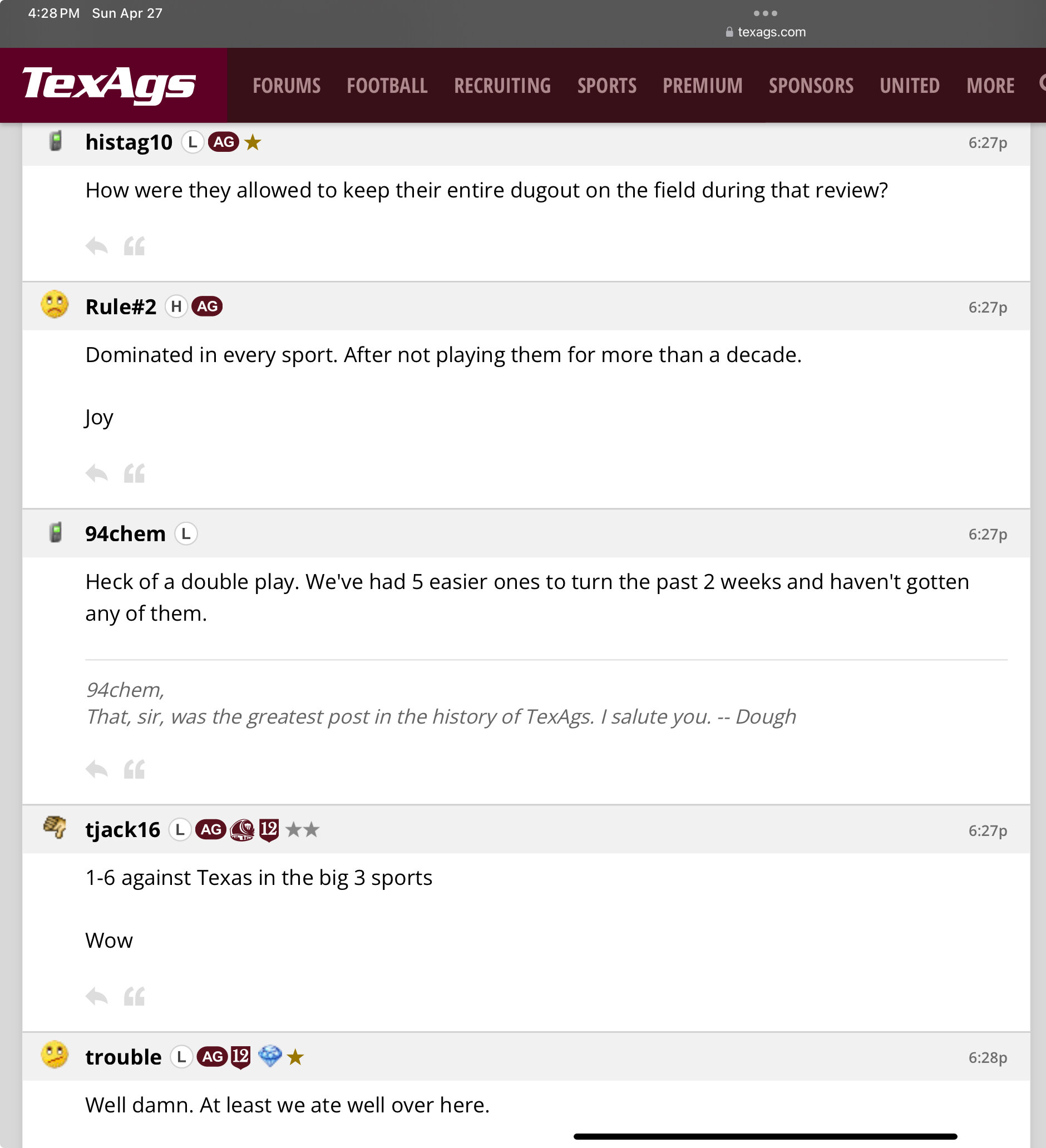
I'll try to keep the screenshots updated as we get more. As always, huge shoutout to @Longhornfrenzy on twitter. He's the gift that keeps on giving. Highly recommend following him, or at least throwing him some rep whenever he pops up here.
Oh, thats certainly a nice development.
Spoilering again because it seemed to work. Meltdown after the series lost.
Independent of the previous post, this is just a good one to include.
Gonna post the past 34 minutes or so of LHF screenshots. Will spoiler since they seem larger than normal. Open the spoiler at your own discretion, it's a long one.
Honestly the name didn’t ring any bells for me either, but it’s just funny to laugh at OU.
His path wasn't always easy, and he seemed like a transfer portal candidate at times. Glad he stuck it up and made himself some money. A testament to the development potential of this staff, and his character. Hook'em Alfred.
Football ... Basketball ... Baseball ... Other Sports ... Futbol ... 🤫995🤫 ... Gambling ... Movies & TV ... Music ... Hobbies ... Lulz ... Food & Travel ... Daily Texan ... Business & Markets ... Cloak Room ... Help ... For Sale ... Board Discussion ... Advertise... Tailgate Donations





Account
Search
Configure browser push notifications
Chrome (Android)
- Tap the lock icon next to the address bar.
- Tap Permissions → Notifications.
- Adjust your preference.
Chrome (Desktop)
- Click the padlock icon in the address bar.
- Select Site settings.
- Find Notifications and adjust your preference.
Safari (iOS 16.4+)
- Ensure the site is installed via Add to Home Screen.
- Open Settings App → Notifications.
- Find your app name and adjust your preference.
Safari (macOS)
- Go to Safari → Preferences.
- Click the Websites tab.
- Select Notifications in the sidebar.
- Find this website and adjust your preference.
Edge (Android)
- Tap the lock icon next to the address bar.
- Tap Permissions.
- Find Notifications and adjust your preference.
Edge (Desktop)
- Click the padlock icon in the address bar.
- Click Permissions for this site.
- Find Notifications and adjust your preference.
Firefox (Android)
- Go to Settings → Site permissions.
- Tap Notifications.
- Find this site in the list and adjust your preference.
Firefox (Desktop)
- Open Firefox Settings.
- Search for Notifications.
- Find this site in the list and adjust your preference.