

TheRealChuckWoolery
New Members
-
Joined
-
Last visited
-
 A dogwood. A tree and a flower.
 -
shut up, baby dick
Good news! Ads seem to be running as smooth as ever

 who the fuck is Pat Sajak
to be fair, I’m sure you already have more assblasting than you know what to do with
This is also him, being reasonable as usual: https://www.surlyhorns.com/board/profile/6270-nomadichorn/ also I wasn’t lying about him living in a van (it’s a nice van)
who the fuck is Pat Sajak
to be fair, I’m sure you already have more assblasting than you know what to do with
This is also him, being reasonable as usual: https://www.surlyhorns.com/board/profile/6270-nomadichorn/ also I wasn’t lying about him living in a van (it’s a nice van) I rest my case.
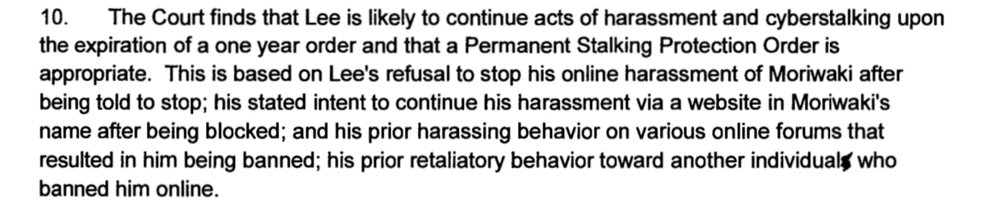
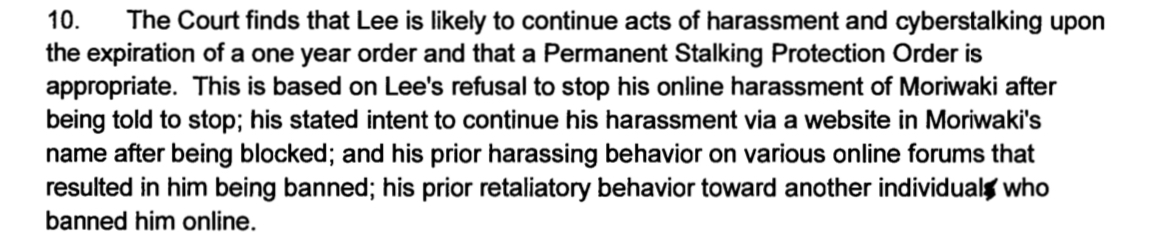
Honestly it’s irresponsible for surly to let him continue posting, because of his history. Here’s the time he got assblasted for stalking his neighbor, who apparently angered VAPA by—checks the court document—being a liberal. https://www.washingtonpost.com/news/volokh-conspiracy/wp-content/uploads/sites/14/2017/07/Findings-and-Conclusions.pdf
the issue here is that VAPA/corn Pop/WingedRyno/Pickbattles will come back, and he is literally a danger to others:
I rest my case.
Honestly it’s irresponsible for surly to let him continue posting, because of his history. Here’s the time he got assblasted for stalking his neighbor, who apparently angered VAPA by—checks the court document—being a liberal. https://www.washingtonpost.com/news/volokh-conspiracy/wp-content/uploads/sites/14/2017/07/Findings-and-Conclusions.pdf
the issue here is that VAPA/corn Pop/WingedRyno/Pickbattles will come back, and he is literally a danger to others:


 At the very least, Corn Pop is a racist, fascist cop-hater, so if he’s *not* VAPA, they should at least meet each other
to wit:
At the very least, Corn Pop is a racist, fascist cop-hater, so if he’s *not* VAPA, they should at least meet each other
to wit: this is also VAPA:
Which is typical VAPA behavior; join with a new sock, post in some sports threads for easy rep, and then start either replying to himself or spamming DT/Bada Bing/CR with links to his blog or one of his bizarre-ass websites
this is also VAPA:
Which is typical VAPA behavior; join with a new sock, post in some sports threads for easy rep, and then start either replying to himself or spamming DT/Bada Bing/CR with links to his blog or one of his bizarre-ass websites










Football ...
Basketball ...
Baseball ...
Other Sports ...
Futbol ...
🤫995🤫 ...
Gambling ...
Movies & TV ...
Music ...
Hobbies ...
Lulz ...
Food & Travel
...
Daily Texan ...
Business & Markets ...
Cloak Room ...
Help ...
For Sale ...
Board Discussion ...
Advertise...
Tailgate Donations