texas08
Full Members
-
Joined
Everything posted by texas08
-
 Anyone have an ohio state forum link? I wanna hear what those folks are saying regarding their travel
 -
-
Um, that’s weird. I think it was 10-11 years for me as well. Other than I did buy a few other add ons through the years
-
After sending my receipts of having paid for Tapa Pro back in the day, Chris from tapa support upgraded me to VIP. The upgrade to VIP reminders are gone.
-
If it’s below freezing around 10pm ish with rain? Assuming that’s when the game would end.
-
Gonna be dicey AF for cotton bowl… Leaving the Death Star Friday night won’t be fun… Stay safe.
-
Cuánto??
-
Yeah, it’s trolling at this point lololol
-
Yep I have both installed as well (deleting pro soon), but pro is no longer available on the App Store
-
It’s coming down to: Folks need to stop using TapaTalk Pro and use the version that is found on the App Store (only one version available).
-
Chris replied. I sent him the receipts I have. Let’s see what happens. I’m trying to get rid of this upgrade reminder from my homepage (and any upgrade pop ups). Also… TSK TSK TSK Currently online… [emoji3][emoji3][emoji3][emoji3]
-
I just went into my purchase history in the App Store and found my receipt for tapa/tapa pro and a few other tapa add ons over the years. You should be able to view your entire purchase history. It looks like way back when the regular tapa was 2.99, then a few years later .99 for pro. I paid 2.99 for tapa image hosting? And .99 for the ability to change colors in tapa (lol)..so a total of about $8 to that company since 2010. How long did it take before you received a reply from support? I wrote to support via the contact us option in tapa earlier today.
-
I just saw my first ad… It was a new years promotion from tapa to get VIP…so not some random ad… [emoji848]
-
Quoting for test. Am I gonna see stupid emoji thing after quoting this and adding a hmmm emoji? [emoji848] I’m on regular tapa now Cool seems to be working fine on regular tapa.
-
Yeah, as far as I know…I paid for tapa pro years ago…never paid for VIP… I don’t see ads on the regular tapa Apple App Store only shows regular tapa as only option
-
I also added a hmmm emoji to my last post and it added all the emoji trash… where do I enter the JIRA, jk fuck alllll dat
-
But I saw the emoji bs on an other post I quoted yesterday. That post did have a photo attached to it… Actually, the post I quoted yesterday where I saw the stupid emoji thing didn’t have an attachment, my reply did have an attachment…and the quote showed all the emoji trash
-
Testing. Quoting this on tapa pro.Uhhh, wtf…don’t see the emoji retartedness
-
I added some of these talon grips. Feels much safer to handle after that. I will say, those grips are literal sandpaper and if you’re not careful it can scratch things around it (car seats/ belts etc).
-
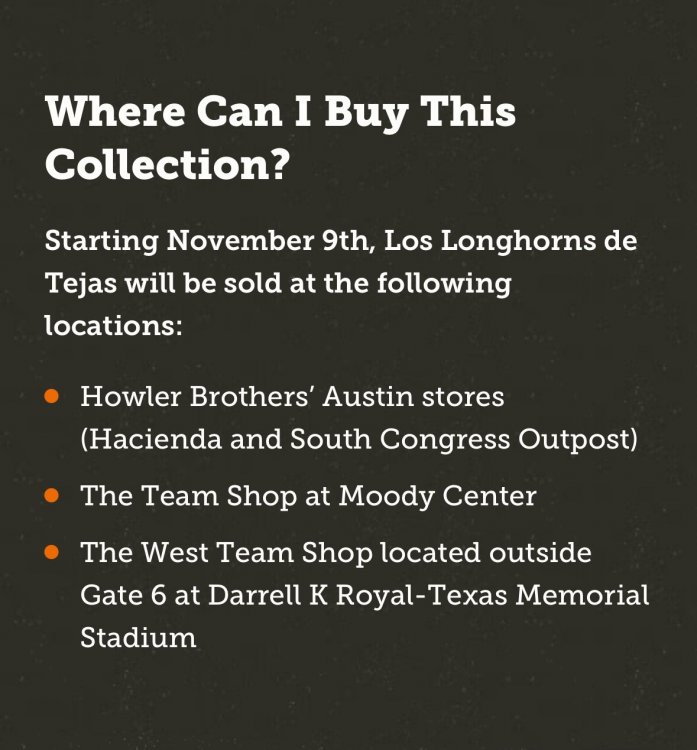
Link works but just takes to this. Damn.
-
-
Did this thread reopen for shots of hopium or what?
-
No time for this!!! GET TO IT!! (jk)
-
Which is the thread that’s gonna move “slow” with only official updates or whatever
-
Hai.