
Jump to content
View in the app

A better way to browse. Learn more.

Surly Horns

A full-screen app on your home screen with push notifications, badges and more.

To install this app on iOS and iPadOS
  1. Tap the Share icon in Safari
  2. Scroll the menu and tap Add to Home Screen.
  3. Tap Add in the top-right corner.
To install this app on Android
  1. Tap the 3-dot menu (⋮) in the top-right corner of the browser.
  2. Tap Add to Home screen or Install app.
  3. Confirm by tapping Install.
Football ... Basketball ... Baseball ... Other Sports ... Futbol ... 🤫995🤫 ... Gambling ... Movies & TV ... Music ... Hobbies ... Lulz ... Food & Travel ... Daily Texan ... Business & Markets ... Cloak Room ... Help ... For Sale ... Board Discussion ... Advertise... Tailgate Donations

Babytime

Full Members
  • Joined

  • Last visited

  1. Forgive my ignorance, but why would we need Princewill?
  2. I wonder how many of us Maroons are on this board?
  3. Lorde just released an album and is touring.
  4. Amazing stuff. The ‘liberal media’. I’m not sure that exist as every major network, including ESPN via Disney, has bent the knee to our president. The delusion is thick.
  5. Can you elaborate on these off the field problems, or DM them to me? I am still under the impression he’s on the straight and narrow.
  6. Dang it. That all seems pretty reasonable.
  7. This movie is scary. They showed it to us in 4th grade classroom.
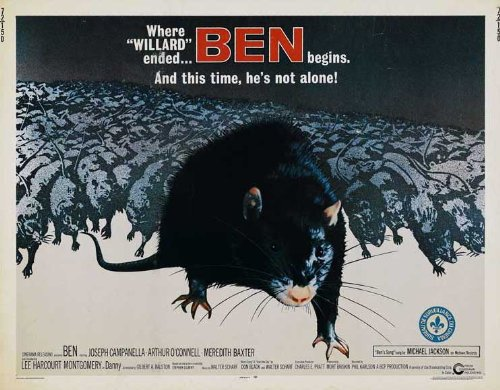
  8. Holy mayonnaise and snow skiing. UNSETTLING.
  9. You lucky SOB. ADA is top tier.
  10. I follow this stuff closer than I should and I hadn’t heard of him as a target.
  11. This movie is amazing. Bajirao Mastani
  12. The DL he predicts is Vondel Cleveland.

Football ... Basketball ... Baseball ... Other Sports ... Futbol ... 🤫995🤫 ... Gambling ... Movies & TV ... Music ... Hobbies ... Lulz ... Food & Travel ... Daily Texan ... Business & Markets ... Cloak Room ... Help ... For Sale ... Board Discussion ... Advertise... Tailgate Donations

Configure browser push notifications

Chrome (Android)
  1. Tap the lock icon next to the address bar.
  2. Tap Permissions → Notifications.
  3. Adjust your preference.
Chrome (Desktop)
  1. Click the padlock icon in the address bar.
  2. Select Site settings.
  3. Find Notifications and adjust your preference.



