
Jump to content
View in the app

A better way to browse. Learn more.

Surly Horns

A full-screen app on your home screen with push notifications, badges and more.

To install this app on iOS and iPadOS
  1. Tap the Share icon in Safari
  2. Scroll the menu and tap Add to Home Screen.
  3. Tap Add in the top-right corner.
To install this app on Android
  1. Tap the 3-dot menu (⋮) in the top-right corner of the browser.
  2. Tap Add to Home screen or Install app.
  3. Confirm by tapping Install.
Football ... Basketball ... Baseball ... Other Sports ... Futbol ... 🤫995🤫 ... Gambling ... Movies & TV ... Music ... Hobbies ... Lulz ... Food & Travel ... Daily Texan ... Business & Markets ... Cloak Room ... Help ... For Sale ... Board Discussion ... Advertise... Tailgate Donations

Chris Dishman's Donut

Certifiably Surly
  • Joined

  • Last visited

Everything posted by Chris Dishman's Donut

  1. Need a ruling from the vets out there. Do we need to call out a weeble-wobble who never served for saluting? Or is it kosher for the C (sic) inC?
  2. Slower than pond water Dumb as a box of rocks
  3. Compass SW, balls straight south about 2"
  4. Moved quite a bit SW in the last 30 years...
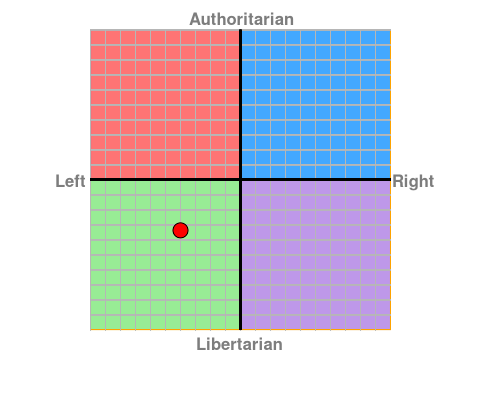
  5. Pat needs to get himself a new marker.
  6. My 13-year-old self liked what I saw.
  7. Couple of questions here: How do you move fractions of a row? Those should be integral values - 4 rows down or 5 rows down, but not 4.xx Do the column D values match those in column C exactly? If you're OK with being "close" as you look up values, and you agree that counting rows to two decimal places doesn't work, you can do this: (I don't have a place to link from, so imagine that I've pasted a screen cap.) Column E formula =(VLOOKUP(D2,C:C,1)) This returns a % from column C that is less than your column D value. Add "FALSE" to the end if values would match exactly between C and D. Column F formula =MID(CELL("address",INDEX(C:C,MATCH(E2,C:C,1))),4,2) CELL will return the address of your VLOOKUP (i.e. $C$8). MID(...,4,2) strips it down to only the row number Column G formula =row(E2) Column H formula =F2-G2
Football ... Basketball ... Baseball ... Other Sports ... Futbol ... 🤫995🤫 ... Gambling ... Movies & TV ... Music ... Hobbies ... Lulz ... Food & Travel ... Daily Texan ... Business & Markets ... Cloak Room ... Help ... For Sale ... Board Discussion ... Advertise... Tailgate Donations

Configure browser push notifications

Chrome (Android)
  1. Tap the lock icon next to the address bar.
  2. Tap Permissions → Notifications.
  3. Adjust your preference.
Chrome (Desktop)
  1. Click the padlock icon in the address bar.
  2. Select Site settings.
  3. Find Notifications and adjust your preference.
