


TheStoicPaisano
Legacy Members
-
Joined
-
Last visited
Everything posted by TheStoicPaisano
-
 Ballsy
 -
Thought he was just grating some Parmesan.
-
Rich Corinthian leather >>> 2 Corinthians
-
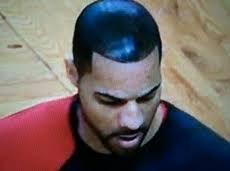
My hairline looks like a horseshoe from behind. I’m in the fuck it camp. Just don’t go Boozer.
 Has he or has he not seen Linda Hamilton’s tits?
Do they do these for, um, big-person films? Asking for a friend.
Bought puppy chow on impulse at the store. Slammed and went hard, but I almost went out in public like this:
Heavy naturals but still.
I dunno why but I’m getting “Gestapo in Bastropo” vibes here.
Whaaa ohhhhhhhh.
Great, now I’m compelled to brainstorm for whom Percy Pringle voted.
Lee Griftwood
Crisis averted.
Football ... Basketball ... Baseball ... Other Sports ... Futbol ... 🤫995🤫 ... Gambling ... Movies & TV ... Music ... Hobbies ... Lulz ... Food & Travel ... Daily Texan ... Business & Markets ... Cloak Room ... Help ... For Sale ... Board Discussion ... Advertise... Tailgate Donations
Has he or has he not seen Linda Hamilton’s tits?
Do they do these for, um, big-person films? Asking for a friend.
Bought puppy chow on impulse at the store. Slammed and went hard, but I almost went out in public like this:
Heavy naturals but still.
I dunno why but I’m getting “Gestapo in Bastropo” vibes here.
Whaaa ohhhhhhhh.
Great, now I’m compelled to brainstorm for whom Percy Pringle voted.
Lee Griftwood
Crisis averted.
Football ... Basketball ... Baseball ... Other Sports ... Futbol ... 🤫995🤫 ... Gambling ... Movies & TV ... Music ... Hobbies ... Lulz ... Food & Travel ... Daily Texan ... Business & Markets ... Cloak Room ... Help ... For Sale ... Board Discussion ... Advertise... Tailgate DonationsAccount
Search
Configure browser push notifications
Chrome (Android)
- Tap the lock icon next to the address bar.
- Tap Permissions → Notifications.
- Adjust your preference.
Chrome (Desktop)
- Click the padlock icon in the address bar.
- Select Site settings.
- Find Notifications and adjust your preference.
Safari (iOS 16.4+)
- Ensure the site is installed via Add to Home Screen.
- Open Settings App → Notifications.
- Find your app name and adjust your preference.
Safari (macOS)
- Go to Safari → Preferences.
- Click the Websites tab.
- Select Notifications in the sidebar.
- Find this website and adjust your preference.
Edge (Android)
- Tap the lock icon next to the address bar.
- Tap Permissions.
- Find Notifications and adjust your preference.
Edge (Desktop)
- Click the padlock icon in the address bar.
- Click Permissions for this site.
- Find Notifications and adjust your preference.
Firefox (Android)
- Go to Settings → Site permissions.
- Tap Notifications.
- Find this site in the list and adjust your preference.
Firefox (Desktop)
- Open Firefox Settings.
- Search for Notifications.
- Find this site in the list and adjust your preference.





