


derp
Legacy Members
-
Joined
-
Last visited
Everything posted by derp
-
 Skype?!
 -
When you say tuddies you have to say tiddies. Dems the rules.
-
This gives me toilet smurf vibes.
Does he still do the fake southern accent?
Fong gonna throw out one of those pussy 50% confidence flips picks in again after one of the visits.
Holy shit, that's wild.
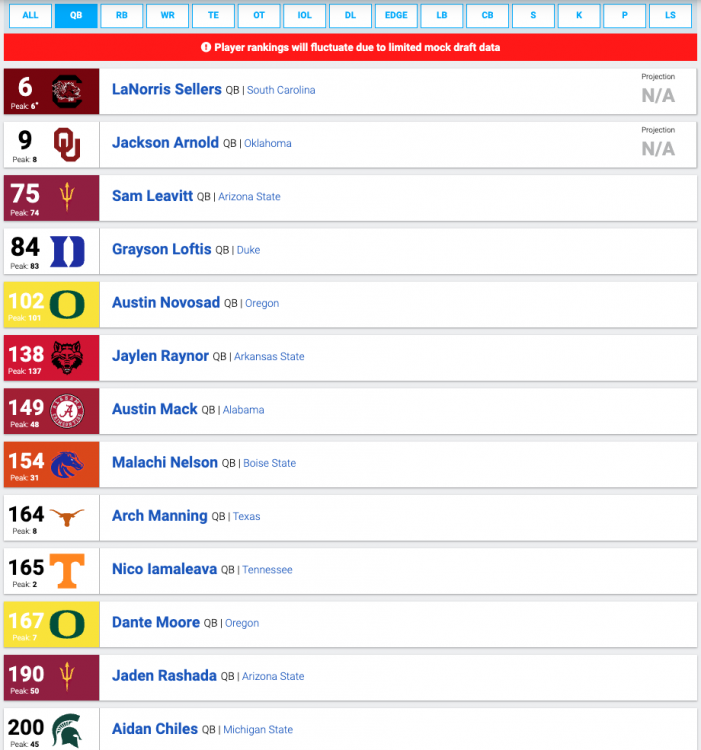 Even though he was right, 50% confidence is a pussy move.
Need big game mustardson to clean this up with a new line of dressings.
Great, don’t bring it here
You know Banks has the party monkey ready to go.
30 minutes of cleanup after a 30 minute flight is impressive.
He stares very motherfuckerly.
It isn’t going to suck itself.
Feels like Georgia will eventually blow up like Art Briles at Baylor.
No doubt. Running low on bodies.
You’re right and it sucks that you’re right.
Definitely. X returning with KRob going for the block was exciting television.
Diddy?
Democrats
Even though he was right, 50% confidence is a pussy move.
Need big game mustardson to clean this up with a new line of dressings.
Great, don’t bring it here
You know Banks has the party monkey ready to go.
30 minutes of cleanup after a 30 minute flight is impressive.
He stares very motherfuckerly.
It isn’t going to suck itself.
Feels like Georgia will eventually blow up like Art Briles at Baylor.
No doubt. Running low on bodies.
You’re right and it sucks that you’re right.
Definitely. X returning with KRob going for the block was exciting television.
Diddy?
Democrats



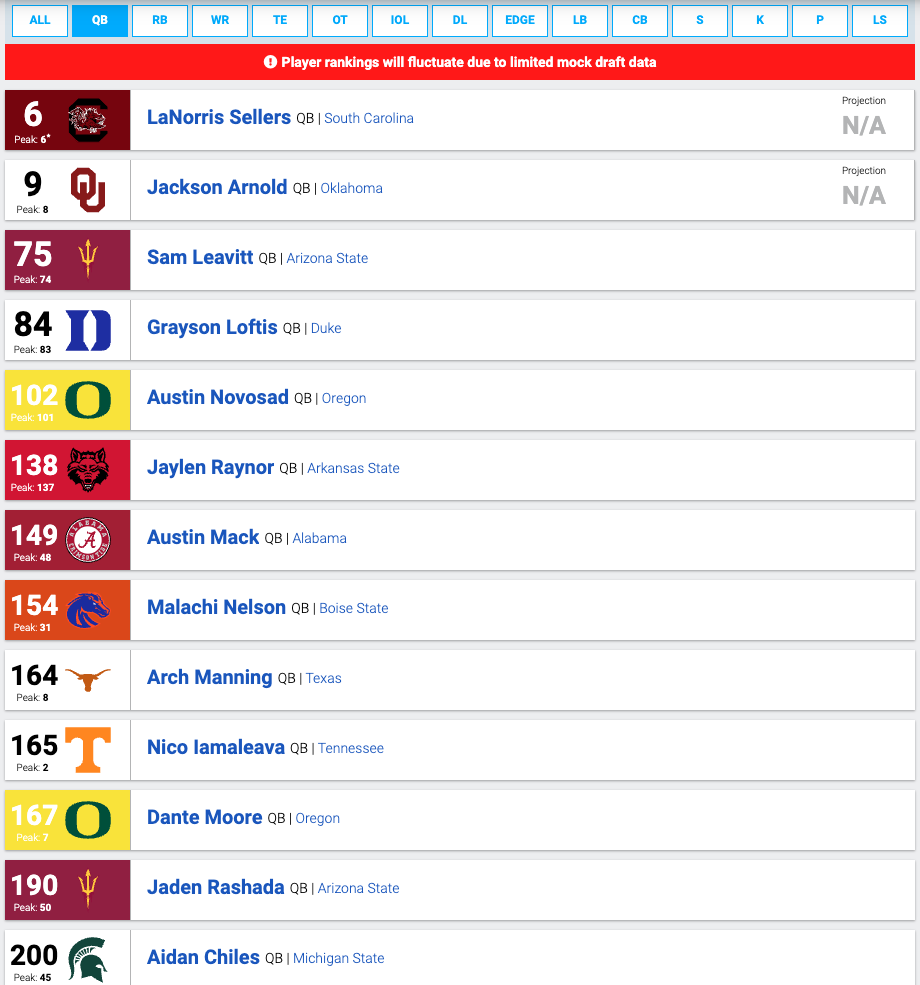

Football ...
Basketball ...
Baseball ...
Other Sports ...
Futbol ...
🤫995🤫 ...
Gambling ...
Movies & TV ...
Music ...
Hobbies ...
Lulz ...
Food & Travel
...
Daily Texan ...
Business & Markets ...
Cloak Room ...
Help ...
For Sale ...
Board Discussion ...
Advertise...
Tailgate Donations
Account
Search
Configure browser push notifications
Chrome (Android)
- Tap the lock icon next to the address bar.
- Tap Permissions → Notifications.
- Adjust your preference.
Chrome (Desktop)
- Click the padlock icon in the address bar.
- Select Site settings.
- Find Notifications and adjust your preference.
Safari (iOS 16.4+)
- Ensure the site is installed via Add to Home Screen.
- Open Settings App → Notifications.
- Find your app name and adjust your preference.
Safari (macOS)
- Go to Safari → Preferences.
- Click the Websites tab.
- Select Notifications in the sidebar.
- Find this website and adjust your preference.
Edge (Android)
- Tap the lock icon next to the address bar.
- Tap Permissions.
- Find Notifications and adjust your preference.
Edge (Desktop)
- Click the padlock icon in the address bar.
- Click Permissions for this site.
- Find Notifications and adjust your preference.
Firefox (Android)
- Go to Settings → Site permissions.
- Tap Notifications.
- Find this site in the list and adjust your preference.
Firefox (Desktop)
- Open Firefox Settings.
- Search for Notifications.
- Find this site in the list and adjust your preference.