
derp
Legacy Members
-
Joined
-
Last visited
Everything posted by derp
-
 Which kind of crop? or
 -
Found the gif of that conversation
Wtf. We got god damn Kevin Hart’s bank account setup where we couldn’t move money from our savings to checking in time to make this happen?
BREAKING: Texas offers highest among largest population centers in Texas. More at the 10. Why are they putting a bunch of small towns on that map? The only reason people know about Dalhart is that you’ve *almost* made it out of the state.
Can’t lie, seems like a 💩 birthday
Bobby: Wtf, these guys don't do any goddamn super chats. Cheap bastards! Where's the collective?!
I get the "special kind of crazy" with a hint of "she'll cut your dick off" vibes.
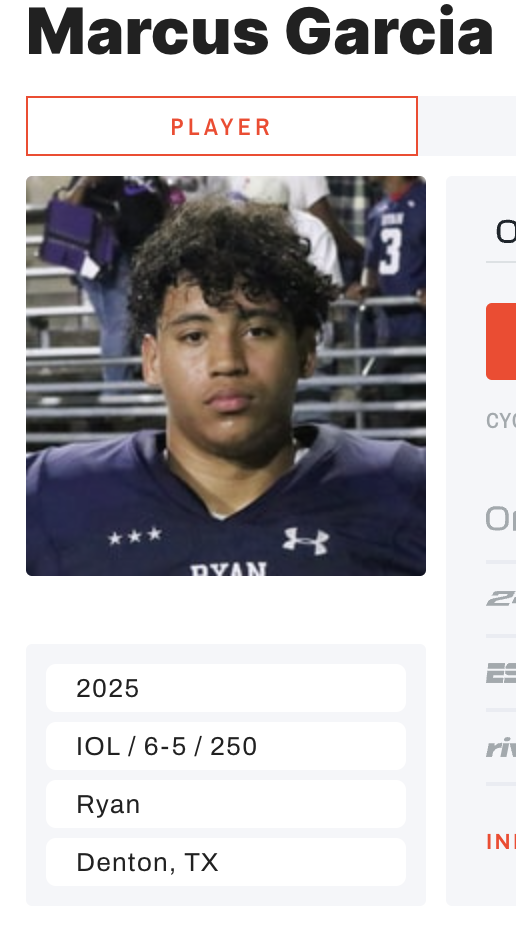
250 lbs - Did he skip a grade or something? Doesn't fit the large human mold. Obviously a great program at Denton Ryan
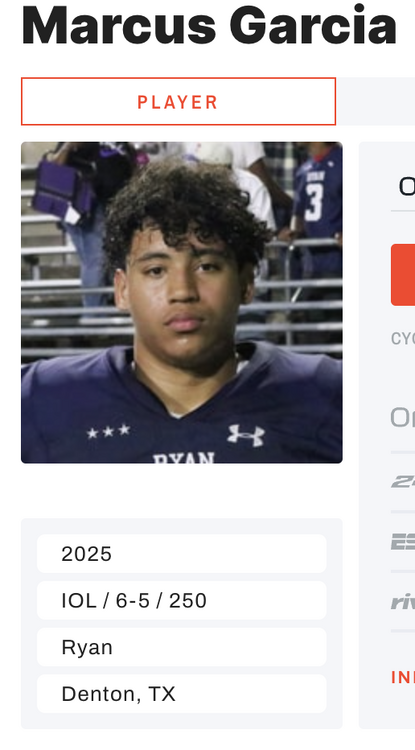 stop fucking with my pic
Football ... Basketball ... Baseball ... Other Sports ... Futbol ... 🤫995🤫 ... Gambling ... Movies & TV ... Music ... Hobbies ... Lulz ... Food & Travel ... Daily Texan ... Business & Markets ... Cloak Room ... Help ... For Sale ... Board Discussion ... Advertise... Tailgate Donations
stop fucking with my pic
Football ... Basketball ... Baseball ... Other Sports ... Futbol ... 🤫995🤫 ... Gambling ... Movies & TV ... Music ... Hobbies ... Lulz ... Food & Travel ... Daily Texan ... Business & Markets ... Cloak Room ... Help ... For Sale ... Board Discussion ... Advertise... Tailgate DonationsAccount
Search
Configure browser push notifications
Chrome (Android)
- Tap the lock icon next to the address bar.
- Tap Permissions → Notifications.
- Adjust your preference.
Chrome (Desktop)
- Click the padlock icon in the address bar.
- Select Site settings.
- Find Notifications and adjust your preference.
Safari (iOS 16.4+)
- Ensure the site is installed via Add to Home Screen.
- Open Settings App → Notifications.
- Find your app name and adjust your preference.
Safari (macOS)
- Go to Safari → Preferences.
- Click the Websites tab.
- Select Notifications in the sidebar.
- Find this website and adjust your preference.
Edge (Android)
- Tap the lock icon next to the address bar.
- Tap Permissions.
- Find Notifications and adjust your preference.
Edge (Desktop)
- Click the padlock icon in the address bar.
- Click Permissions for this site.
- Find Notifications and adjust your preference.
Firefox (Android)
- Go to Settings → Site permissions.
- Tap Notifications.
- Find this site in the list and adjust your preference.
Firefox (Desktop)
- Open Firefox Settings.
- Search for Notifications.
- Find this site in the list and adjust your preference.