Bash Riprock
Legacy Members
-
Joined
-
Last visited
Everything posted by Bash Riprock
-
 So anyway YouTubeTV sucks, I wouldn't recommend it.
thanks for the info @Bevo VIII. appreciate it. fucking lubbock. the dixie chicks were right.
God hates me.
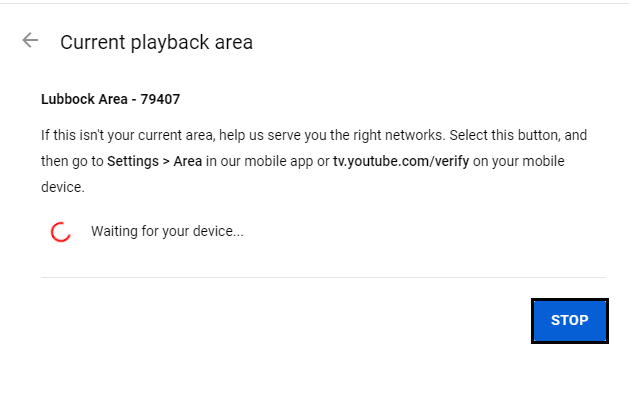
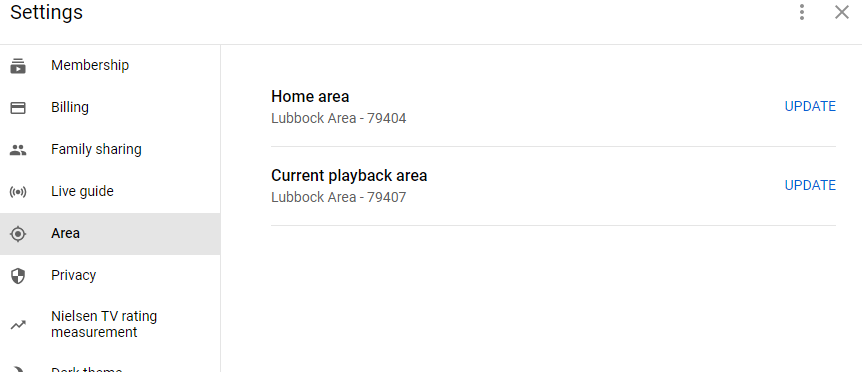
I did. I changed the ZIP to my brother's ZIP in Southlake. It said you are not in this area. DENIED.
YouTube TV doesn't have those such restrictions when you view on your "set top box" from a different zip code than your home zip code. However, you will have to log in from your main address every 3 months.
Man this sucks. I wonder if I cancelled and signed back up later this week. Thanks for looking into it with me @Vito Andolini
Nothing. I didnt think it would show because its asking me to sign up for a free trial.
Mother Fucker. So it's 69 a month and now i have to pay another 10.99?
So anyway YouTubeTV sucks, I wouldn't recommend it.
thanks for the info @Bevo VIII. appreciate it. fucking lubbock. the dixie chicks were right.
God hates me.
I did. I changed the ZIP to my brother's ZIP in Southlake. It said you are not in this area. DENIED.
YouTube TV doesn't have those such restrictions when you view on your "set top box" from a different zip code than your home zip code. However, you will have to log in from your main address every 3 months.
Man this sucks. I wonder if I cancelled and signed back up later this week. Thanks for looking into it with me @Vito Andolini
Nothing. I didnt think it would show because its asking me to sign up for a free trial.
Mother Fucker. So it's 69 a month and now i have to pay another 10.99?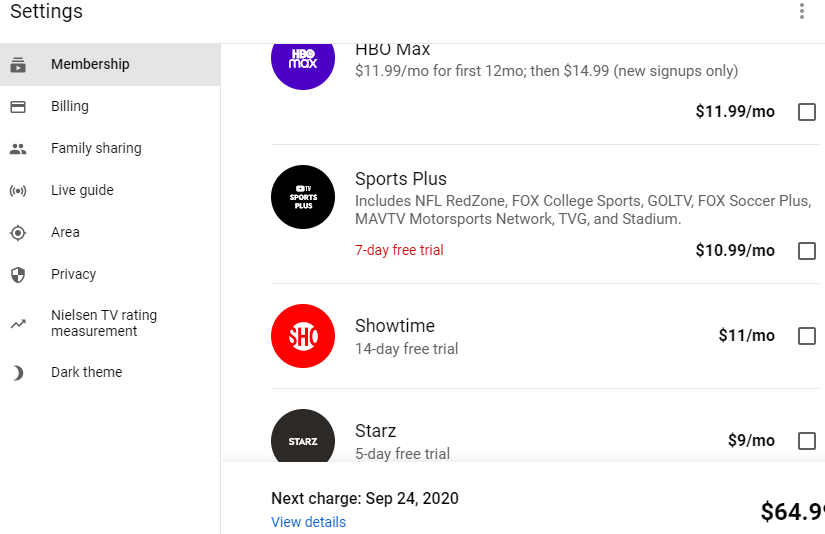 Is it because I live in bumfuck Lubbock?
I'm serious though, why the fuck dont I have it?
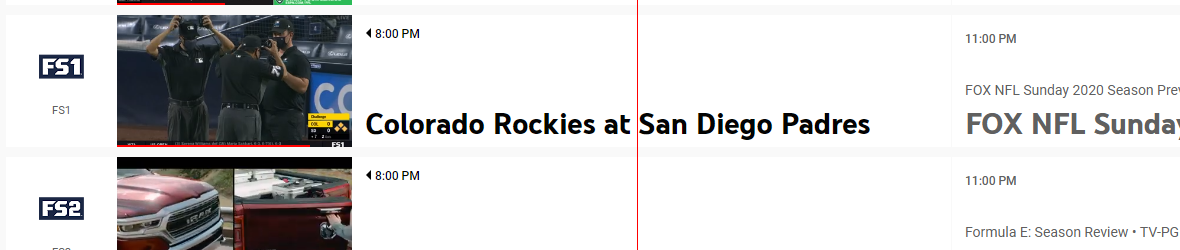
what? all i have is fs1 and fs2. have not seen a single rangers game all year.
They dont have FoxSSW either.
Blue Jasmine was great.
Excuse me, where are we? Earth.Football ... Basketball ... Baseball ... Other Sports ... Futbol ... 🤫995🤫 ... Gambling ... Movies & TV ... Music ... Hobbies ... Lulz ... Food & Travel ... Daily Texan ... Business & Markets ... Cloak Room ... Help ... For Sale ... Board Discussion ... Advertise... Tailgate Donations
Is it because I live in bumfuck Lubbock?
I'm serious though, why the fuck dont I have it?
what? all i have is fs1 and fs2. have not seen a single rangers game all year.
They dont have FoxSSW either.
Blue Jasmine was great.
Excuse me, where are we? Earth.Football ... Basketball ... Baseball ... Other Sports ... Futbol ... 🤫995🤫 ... Gambling ... Movies & TV ... Music ... Hobbies ... Lulz ... Food & Travel ... Daily Texan ... Business & Markets ... Cloak Room ... Help ... For Sale ... Board Discussion ... Advertise... Tailgate DonationsAccount
Search
Configure browser push notifications
Chrome (Android)
- Tap the lock icon next to the address bar.
- Tap Permissions → Notifications.
- Adjust your preference.
Chrome (Desktop)
- Click the padlock icon in the address bar.
- Select Site settings.
- Find Notifications and adjust your preference.
Safari (iOS 16.4+)
- Ensure the site is installed via Add to Home Screen.
- Open Settings App → Notifications.
- Find your app name and adjust your preference.
Safari (macOS)
- Go to Safari → Preferences.
- Click the Websites tab.
- Select Notifications in the sidebar.
- Find this website and adjust your preference.
Edge (Android)
- Tap the lock icon next to the address bar.
- Tap Permissions.
- Find Notifications and adjust your preference.
Edge (Desktop)
- Click the padlock icon in the address bar.
- Click Permissions for this site.
- Find Notifications and adjust your preference.
Firefox (Android)
- Go to Settings → Site permissions.
- Tap Notifications.
- Find this site in the list and adjust your preference.
Firefox (Desktop)
- Open Firefox Settings.
- Search for Notifications.
- Find this site in the list and adjust your preference.