tfoolry
Legacy Members
-
Joined
-
Last visited
Everything posted by tfoolry
-
 Exactly. They’ve always been QB deficient until Burreaux.
My 12 year old Sony tv only has YouTube. Not YouTube TV with no option to download apps.
Any recommendations on best device/stick to connect to my AVR via optical cable so I can utilize my 5 speakers for surround sound?
Borked
Exactly. They’ve always been QB deficient until Burreaux.
My 12 year old Sony tv only has YouTube. Not YouTube TV with no option to download apps.
Any recommendations on best device/stick to connect to my AVR via optical cable so I can utilize my 5 speakers for surround sound?
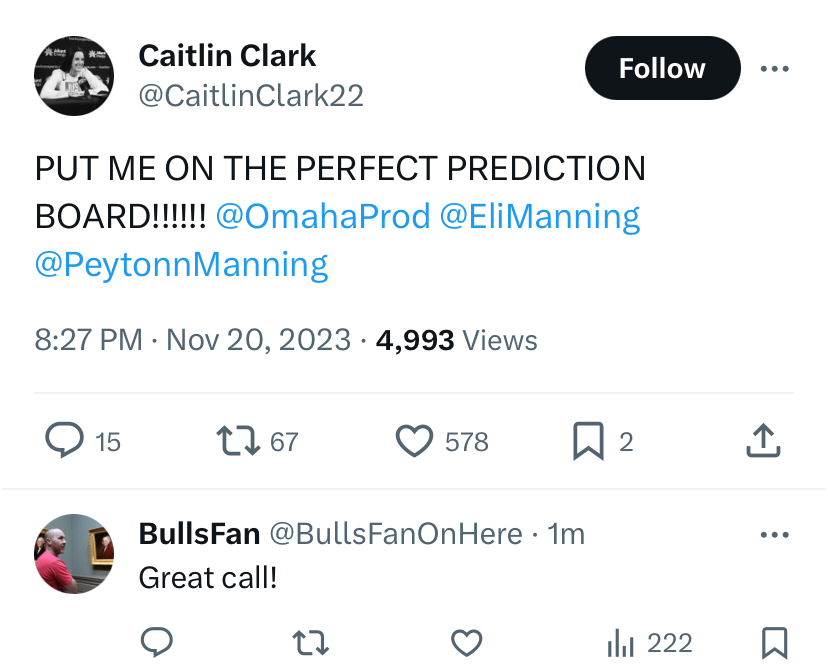
Borked https://x.com/Britishfinest21/status/1725216988983697572?s=20
https://www.instagram.com/reel/Cw5ZxDUrzpm/
Football ... Basketball ... Baseball ... Other Sports ... Futbol ... 🤫995🤫 ... Gambling ... Movies & TV ... Music ... Hobbies ... Lulz ... Food & Travel ... Daily Texan ... Business & Markets ... Cloak Room ... Help ... For Sale ... Board Discussion ... Advertise... Tailgate Donations
https://x.com/Britishfinest21/status/1725216988983697572?s=20
https://www.instagram.com/reel/Cw5ZxDUrzpm/
Football ... Basketball ... Baseball ... Other Sports ... Futbol ... 🤫995🤫 ... Gambling ... Movies & TV ... Music ... Hobbies ... Lulz ... Food & Travel ... Daily Texan ... Business & Markets ... Cloak Room ... Help ... For Sale ... Board Discussion ... Advertise... Tailgate DonationsAccount
Search
Configure browser push notifications
Chrome (Android)
- Tap the lock icon next to the address bar.
- Tap Permissions → Notifications.
- Adjust your preference.
Chrome (Desktop)
- Click the padlock icon in the address bar.
- Select Site settings.
- Find Notifications and adjust your preference.
Safari (iOS 16.4+)
- Ensure the site is installed via Add to Home Screen.
- Open Settings App → Notifications.
- Find your app name and adjust your preference.
Safari (macOS)
- Go to Safari → Preferences.
- Click the Websites tab.
- Select Notifications in the sidebar.
- Find this website and adjust your preference.
Edge (Android)
- Tap the lock icon next to the address bar.
- Tap Permissions.
- Find Notifications and adjust your preference.
Edge (Desktop)
- Click the padlock icon in the address bar.
- Click Permissions for this site.
- Find Notifications and adjust your preference.
Firefox (Android)
- Go to Settings → Site permissions.
- Tap Notifications.
- Find this site in the list and adjust your preference.
Firefox (Desktop)
- Open Firefox Settings.
- Search for Notifications.
- Find this site in the list and adjust your preference.