Telegraph_it
Legacy Members
-
Joined
-
Last visited
Everything posted by Telegraph_it
-
 I raise the McRib with this delicacy. Who wants to get one an report back?
-
it could be!
-
Thank you for keeping the brisket stereotype going.
He reads this thread obviously.
That is a beautiful love letter.
Interesting stuff. Tell us this. If Brisket billed you for all the active time he spent on this site how many figures is the invoice?
Yea the substance of the article doesn’t jibe with the definitive headline.
Looking good. No traffic on ADSB so you should be able take her right in.
 Where is that cookie button!?!?
I know. It’s not selected. Something is broken.
Where is that cookie button!?!?
I know. It’s not selected. Something is broken.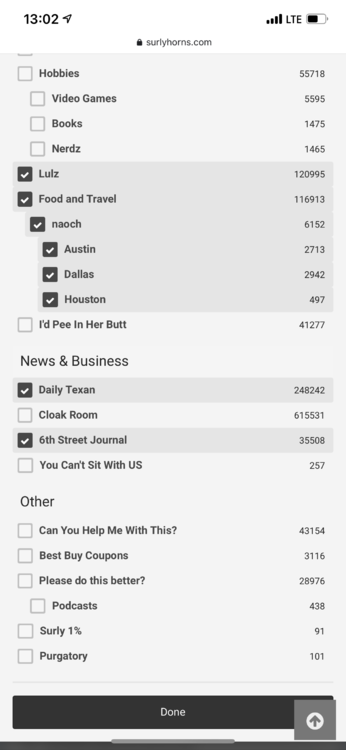 My sources tell me this guy is plan B. I’m not opposed to him being plan A.
 Wow Urban is fast.
Gives us time to talk about the OG 4loko and its effect on our lives.
Damn. That was well well done.
WHY IS THIS WEBSITE STILL LOADING!!!Football ... Basketball ... Baseball ... Other Sports ... Futbol ... 🤫995🤫 ... Gambling ... Movies & TV ... Music ... Hobbies ... Lulz ... Food & Travel ... Daily Texan ... Business & Markets ... Cloak Room ... Help ... For Sale ... Board Discussion ... Advertise... Tailgate Donations
Wow Urban is fast.
Gives us time to talk about the OG 4loko and its effect on our lives.
Damn. That was well well done.
WHY IS THIS WEBSITE STILL LOADING!!!Football ... Basketball ... Baseball ... Other Sports ... Futbol ... 🤫995🤫 ... Gambling ... Movies & TV ... Music ... Hobbies ... Lulz ... Food & Travel ... Daily Texan ... Business & Markets ... Cloak Room ... Help ... For Sale ... Board Discussion ... Advertise... Tailgate DonationsAccount
Search
Configure browser push notifications
Chrome (Android)
- Tap the lock icon next to the address bar.
- Tap Permissions → Notifications.
- Adjust your preference.
Chrome (Desktop)
- Click the padlock icon in the address bar.
- Select Site settings.
- Find Notifications and adjust your preference.
Safari (iOS 16.4+)
- Ensure the site is installed via Add to Home Screen.
- Open Settings App → Notifications.
- Find your app name and adjust your preference.
Safari (macOS)
- Go to Safari → Preferences.
- Click the Websites tab.
- Select Notifications in the sidebar.
- Find this website and adjust your preference.
Edge (Android)
- Tap the lock icon next to the address bar.
- Tap Permissions.
- Find Notifications and adjust your preference.
Edge (Desktop)
- Click the padlock icon in the address bar.
- Click Permissions for this site.
- Find Notifications and adjust your preference.
Firefox (Android)
- Go to Settings → Site permissions.
- Tap Notifications.
- Find this site in the list and adjust your preference.
Firefox (Desktop)
- Open Firefox Settings.
- Search for Notifications.
- Find this site in the list and adjust your preference.