

totallynotabuttpirate
Burnt Ends
-
Joined
-
Last visited
Everything posted by totallynotabuttpirate
-
 @Bruh Man Walk your ass down here and say it!
 -
6 months from now...
 Jeff Bezos Is 'Looking Into Buying' Washington Commanders: Source
 @Bruh Man
 Greg Davis says heeey.....
Yea, the draft isn't until April, so it doesn't affect that.
Four hours later.....
Greg Davis says heeey.....
Yea, the draft isn't until April, so it doesn't affect that.
Four hours later.....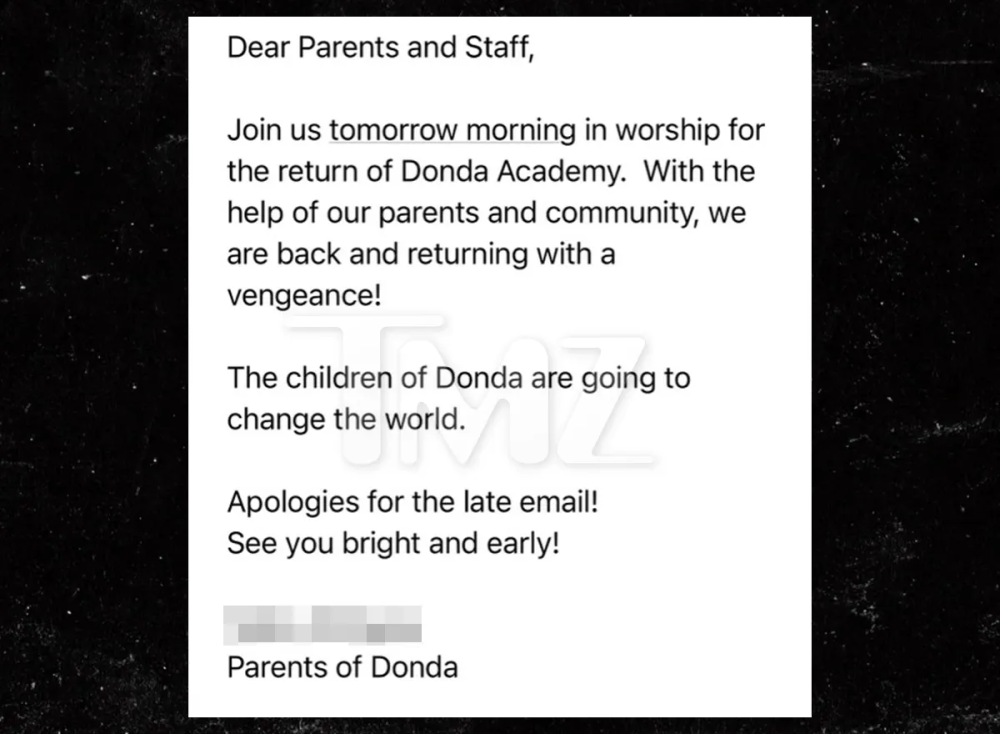 @Cornpop
 The screen was clearly blown up, but all both UT defenders vacated the middle for Sanders to run.
I kindof miss our slow receivers that could track the ball in the air.
TCU is gey my dude.
We had been planning to move to Wimberly for years. But you can't live without water, so we're stuck in Austin.
Looks like TCU takes out another starting QB again... Thanks!
And fuck that TrojanPrincess cunt!
There should be maybe 3 seconds left.
The balls....
I got the quote directly from their site:
Well on their way to a good beatdown.
ooof
You prefer body catchers?
The screen was clearly blown up, but all both UT defenders vacated the middle for Sanders to run.
I kindof miss our slow receivers that could track the ball in the air.
TCU is gey my dude.
We had been planning to move to Wimberly for years. But you can't live without water, so we're stuck in Austin.
Looks like TCU takes out another starting QB again... Thanks!
And fuck that TrojanPrincess cunt!
There should be maybe 3 seconds left.
The balls....
I got the quote directly from their site:
Well on their way to a good beatdown.
ooof
You prefer body catchers?







Football ...
Basketball ...
Baseball ...
Other Sports ...
Futbol ...
🤫995🤫 ...
Gambling ...
Movies & TV ...
Music ...
Hobbies ...
Lulz ...
Food & Travel
...
Daily Texan ...
Business & Markets ...
Cloak Room ...
Help ...
For Sale ...
Board Discussion ...
Advertise...
Tailgate Donations
Account
Search
Configure browser push notifications
Chrome (Android)
- Tap the lock icon next to the address bar.
- Tap Permissions → Notifications.
- Adjust your preference.
Chrome (Desktop)
- Click the padlock icon in the address bar.
- Select Site settings.
- Find Notifications and adjust your preference.
Safari (iOS 16.4+)
- Ensure the site is installed via Add to Home Screen.
- Open Settings App → Notifications.
- Find your app name and adjust your preference.
Safari (macOS)
- Go to Safari → Preferences.
- Click the Websites tab.
- Select Notifications in the sidebar.
- Find this website and adjust your preference.
Edge (Android)
- Tap the lock icon next to the address bar.
- Tap Permissions.
- Find Notifications and adjust your preference.
Edge (Desktop)
- Click the padlock icon in the address bar.
- Click Permissions for this site.
- Find Notifications and adjust your preference.
Firefox (Android)
- Go to Settings → Site permissions.
- Tap Notifications.
- Find this site in the list and adjust your preference.
Firefox (Desktop)
- Open Firefox Settings.
- Search for Notifications.
- Find this site in the list and adjust your preference.