

BornAndRaised
Burnt Ends
-
Joined
-
Last visited
Everything posted by BornAndRaised
-
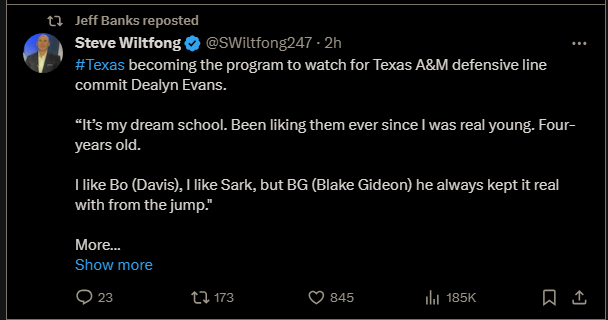
 Well, I've been sitting here spam refreshing and I can tell you that Gideon just followed him in real time.
 -
Also, I know he's a 2025 recruit, but it makes me laugh that they got analysts sending out offers now.
he finally updated his twitter
The most Katfid post I've seen in a long time.
Welcome to the board, and thanks for getting involved with Burnt Ends. Ticket Sales have exploded. I don't know where we are at in terms of capacity but as discussed previously in this thread it was popular enough to book a second venue.
I know we love to beat on aggy, and I love it too. Just want to say that I saw Fadill Diggs in a recruits stream yesterday. I think it was Smith's? Telling them to go to A&M. I thought that was nice tbh. Just because Robinson is raiding that roster its nice to see Diggs have a bit of integrity.
Yeah, only reason I asked is because we're going to have to replace Sweat and Murphy with a committee, feel like we could get meaningful snaps out of him while he learns from Bo Davis in his contract year.
Not to pine for aggie trash, but would this be any kind of decent pick up?
Immamac and RGB were the original posters, but since about halfway through the season its largely been me posting there. Figured I would tag in so they could focus on TOF.
Relevant RE EE's.
Visiting my grandma, but was able to bring my laptop since she's napping atm.
Posting this only because it indicates EE's and who will be available for Bowl Practices.
Gonna do a dump of everything from LHF since this morning. Apologize if anything was already posted. I'm not gonna double check.
Whoever else wants to tag in, I'm spending the rest of the day at the hospital and LHF is posting some aggy gold at the moment.
@AP101SI think you might have this?
Some receipts on this fine day:Football ... Basketball ... Baseball ... Other Sports ... Futbol ... 🤫995🤫 ... Gambling ... Movies & TV ... Music ... Hobbies ... Lulz ... Food & Travel ... Daily Texan ... Business & Markets ... Cloak Room ... Help ... For Sale ... Board Discussion ... Advertise... Tailgate Donations





Account
Search
Configure browser push notifications
Chrome (Android)
- Tap the lock icon next to the address bar.
- Tap Permissions → Notifications.
- Adjust your preference.
Chrome (Desktop)
- Click the padlock icon in the address bar.
- Select Site settings.
- Find Notifications and adjust your preference.
Safari (iOS 16.4+)
- Ensure the site is installed via Add to Home Screen.
- Open Settings App → Notifications.
- Find your app name and adjust your preference.
Safari (macOS)
- Go to Safari → Preferences.
- Click the Websites tab.
- Select Notifications in the sidebar.
- Find this website and adjust your preference.
Edge (Android)
- Tap the lock icon next to the address bar.
- Tap Permissions.
- Find Notifications and adjust your preference.
Edge (Desktop)
- Click the padlock icon in the address bar.
- Click Permissions for this site.
- Find Notifications and adjust your preference.
Firefox (Android)
- Go to Settings → Site permissions.
- Tap Notifications.
- Find this site in the list and adjust your preference.
Firefox (Desktop)
- Open Firefox Settings.
- Search for Notifications.
- Find this site in the list and adjust your preference.