
Lone Star Horn
Certifiably Surly
-
Joined
-
Last visited
Everything posted by Lone Star Horn
-
 TEXAS
TEXAS -
Yep, Until time change (Nov 6) when everyone else moves their clocks back, then AZ is 1 hour behind Texas.
-
Come on guys, it'll be a top 12 with some surprising (cough cough BREAD cough) filler
-
Nah, he tends to disappear when aggy starts losing games that they shouldn't and he goes to Vancouver where there is no internet.
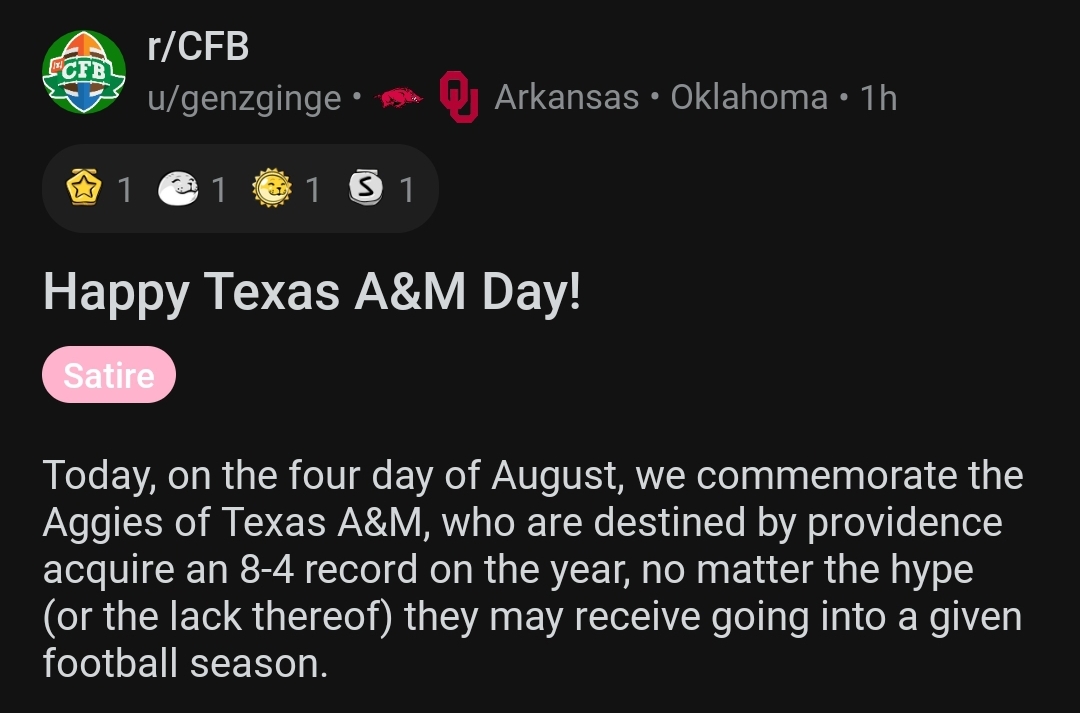
Taken from reddit. Happy aggy Day
 considering that she was rumored to be banging fcb, which cost him his marriage, whore is the proper terminology
for previous pic, not @Viper
That's too many takes, RACK 'EM
No, you're getting neg bombed because your take was full of shit, like farrell. Are you an aggy? Why didn't to reply to @Vertigo he had a take on your take?
fify
fify dammit @Redneck Mutha beat me to it.
It's TEXAS!!!!Football ... Basketball ... Baseball ... Other Sports ... Futbol ... 🤫995🤫 ... Gambling ... Movies & TV ... Music ... Hobbies ... Lulz ... Food & Travel ... Daily Texan ... Business & Markets ... Cloak Room ... Help ... For Sale ... Board Discussion ... Advertise... Tailgate Donations
considering that she was rumored to be banging fcb, which cost him his marriage, whore is the proper terminology
for previous pic, not @Viper
That's too many takes, RACK 'EM
No, you're getting neg bombed because your take was full of shit, like farrell. Are you an aggy? Why didn't to reply to @Vertigo he had a take on your take?
fify
fify dammit @Redneck Mutha beat me to it.
It's TEXAS!!!!Football ... Basketball ... Baseball ... Other Sports ... Futbol ... 🤫995🤫 ... Gambling ... Movies & TV ... Music ... Hobbies ... Lulz ... Food & Travel ... Daily Texan ... Business & Markets ... Cloak Room ... Help ... For Sale ... Board Discussion ... Advertise... Tailgate DonationsAccount
Search
Configure browser push notifications
Chrome (Android)
- Tap the lock icon next to the address bar.
- Tap Permissions → Notifications.
- Adjust your preference.
Chrome (Desktop)
- Click the padlock icon in the address bar.
- Select Site settings.
- Find Notifications and adjust your preference.
Safari (iOS 16.4+)
- Ensure the site is installed via Add to Home Screen.
- Open Settings App → Notifications.
- Find your app name and adjust your preference.
Safari (macOS)
- Go to Safari → Preferences.
- Click the Websites tab.
- Select Notifications in the sidebar.
- Find this website and adjust your preference.
Edge (Android)
- Tap the lock icon next to the address bar.
- Tap Permissions.
- Find Notifications and adjust your preference.
Edge (Desktop)
- Click the padlock icon in the address bar.
- Click Permissions for this site.
- Find Notifications and adjust your preference.
Firefox (Android)
- Go to Settings → Site permissions.
- Tap Notifications.
- Find this site in the list and adjust your preference.
Firefox (Desktop)
- Open Firefox Settings.
- Search for Notifications.
- Find this site in the list and adjust your preference.