


Lone Star Horn
Certifiably Surly
-
Joined
-
Last visited
Everything posted by Lone Star Horn
-
 Do you eat eggs? I know my daughter can not stand eggs, and she won't eat mayo also.
 -
They do tend to have lots of racist bones in their bodies, when working the glory holes.
-
We all did, he is a sooner
I got this joke from reddit, posted it in Lame joke thread, but decided it needed to be here also. What did the Texas A&M football player get on the SAT? Drool.
What did the Texas A&M football player get on the SAT? Drool.
Moe Green did wind up having an eye out for the Corleones.
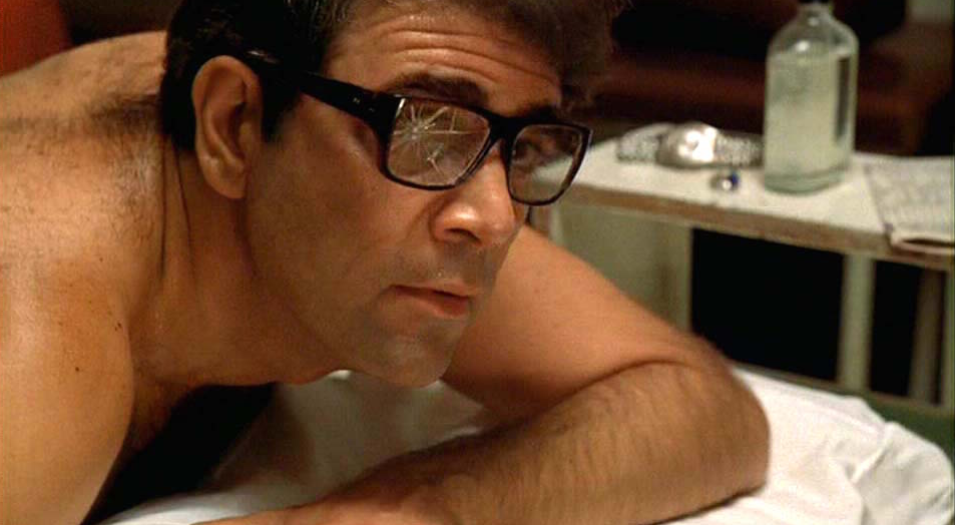 You made me think about it
I have never seen this pic before. She doesn't have to worry about any arousal from him.
So, now you're moving the goalposts? There was nothing about Miami being a better program, or running Taggert out of town.
You made me think about it
I have never seen this pic before. She doesn't have to worry about any arousal from him.
So, now you're moving the goalposts? There was nothing about Miami being a better program, or running Taggert out of town. Did you not read a few posts above your reply?
That would not be gouda, you muenster.
Texas fan?
Football ... Basketball ... Baseball ... Other Sports ... Futbol ... 🤫995🤫 ... Gambling ... Movies & TV ... Music ... Hobbies ... Lulz ... Food & Travel ... Daily Texan ... Business & Markets ... Cloak Room ... Help ... For Sale ... Board Discussion ... Advertise... Tailgate Donations
Did you not read a few posts above your reply?
That would not be gouda, you muenster.
Texas fan?
Football ... Basketball ... Baseball ... Other Sports ... Futbol ... 🤫995🤫 ... Gambling ... Movies & TV ... Music ... Hobbies ... Lulz ... Food & Travel ... Daily Texan ... Business & Markets ... Cloak Room ... Help ... For Sale ... Board Discussion ... Advertise... Tailgate DonationsAccount
Search
Configure browser push notifications
Chrome (Android)
- Tap the lock icon next to the address bar.
- Tap Permissions → Notifications.
- Adjust your preference.
Chrome (Desktop)
- Click the padlock icon in the address bar.
- Select Site settings.
- Find Notifications and adjust your preference.
Safari (iOS 16.4+)
- Ensure the site is installed via Add to Home Screen.
- Open Settings App → Notifications.
- Find your app name and adjust your preference.
Safari (macOS)
- Go to Safari → Preferences.
- Click the Websites tab.
- Select Notifications in the sidebar.
- Find this website and adjust your preference.
Edge (Android)
- Tap the lock icon next to the address bar.
- Tap Permissions.
- Find Notifications and adjust your preference.
Edge (Desktop)
- Click the padlock icon in the address bar.
- Click Permissions for this site.
- Find Notifications and adjust your preference.
Firefox (Android)
- Go to Settings → Site permissions.
- Tap Notifications.
- Find this site in the list and adjust your preference.
Firefox (Desktop)
- Open Firefox Settings.
- Search for Notifications.
- Find this site in the list and adjust your preference.


