

TexLonghorn
Legacy Members
-
Joined
-
Last visited
Everything posted by TexLonghorn
-
 Jimbo Fisher: the 10-Year Contract that Destroyed A&M’s 100-Year Decision
(Sarcasm) I can’t wait to see Witch Doctor earn its place in the seedlings after facing the gauntlet of Slammo!, Rusty, and HiJinx in qualifying rounds. (/sarcasm)
"There are two fouls, both on the offense... Roughing the passer on the defense..." The fix is in.
Just watched Speak No Evil - yikes. Fairly slow moving throughout, but it pays off to be super disturbing in the end. Reminds me of The Invitation, which I also recommend (the 2015 one; I haven’t seen the 2022 one), in that you don’t really grasp what’s fully going on in the movie and then it just goes crazy real fast.
Some new rules for the tournament this year. Looks like they are trying to reduce some of the controversies of the last tournament.
Fall (2022). Really pretty good, I thought. Giving it an 8. Very tense first half to 3/4 until you get used to it. Had my palms actually sweating. Ending was kind of quick and convenient, but it was after an interesting twist bit and a LOT of nerve-wracking build up.
Why would anyone pay $20,000 for "Event Co-Host"? One "Event Co-Host" - $20,000, 4 reception tickets, 2 dinners w/ preferred seating vs. Two "Premium Dinner Attendee"s - $20,000, 4 reception tickets and 4 dinners w/ preferred seating Why do the perks get worse the more you pay? You get fewer dinners vs. tickets and you lose preferred seating??
No, that's actually his standing height.
I was definitely going to go with a 'reach around' joke from the thread title, but I didn't want to limit myself. Yeah, I'm guilty on that one, too. Welcome back to the 40 Acres, Blake! Call me!
I could do some serious damage to repug H of R candidate Bo Hines from NC.
Jimbo Fisher: the 10-Year Contract that Destroyed A&M’s 100-Year Decision
(Sarcasm) I can’t wait to see Witch Doctor earn its place in the seedlings after facing the gauntlet of Slammo!, Rusty, and HiJinx in qualifying rounds. (/sarcasm)
"There are two fouls, both on the offense... Roughing the passer on the defense..." The fix is in.
Just watched Speak No Evil - yikes. Fairly slow moving throughout, but it pays off to be super disturbing in the end. Reminds me of The Invitation, which I also recommend (the 2015 one; I haven’t seen the 2022 one), in that you don’t really grasp what’s fully going on in the movie and then it just goes crazy real fast.
Some new rules for the tournament this year. Looks like they are trying to reduce some of the controversies of the last tournament.
Fall (2022). Really pretty good, I thought. Giving it an 8. Very tense first half to 3/4 until you get used to it. Had my palms actually sweating. Ending was kind of quick and convenient, but it was after an interesting twist bit and a LOT of nerve-wracking build up.
Why would anyone pay $20,000 for "Event Co-Host"? One "Event Co-Host" - $20,000, 4 reception tickets, 2 dinners w/ preferred seating vs. Two "Premium Dinner Attendee"s - $20,000, 4 reception tickets and 4 dinners w/ preferred seating Why do the perks get worse the more you pay? You get fewer dinners vs. tickets and you lose preferred seating??
No, that's actually his standing height.
I was definitely going to go with a 'reach around' joke from the thread title, but I didn't want to limit myself. Yeah, I'm guilty on that one, too. Welcome back to the 40 Acres, Blake! Call me!
I could do some serious damage to repug H of R candidate Bo Hines from NC.
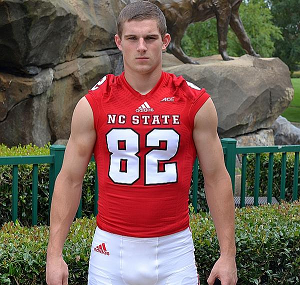 This is right out of the aggy script: 1. Start the year with a QB that is going to be GREAT given his progress and experience from the year before 2. Quarterback struggles and loses games that should have been won easily 3. Let that QB or a back up struggle through the harder games in the middle of the schedule 4. Replace QB with new superstar freshman QB so he can gain some progress and experience against the weaker teams at the end of the schedule. 5. Tout how great the new young buck QB is going to be - maybe win a Heisman? - and then JUST WAIT UNTIL NEXT YEAR! and then back to step one.
This is too easy! That's Mohr spelled with an 'h'! M - O - H - R
This is right out of the aggy script: 1. Start the year with a QB that is going to be GREAT given his progress and experience from the year before 2. Quarterback struggles and loses games that should have been won easily 3. Let that QB or a back up struggle through the harder games in the middle of the schedule 4. Replace QB with new superstar freshman QB so he can gain some progress and experience against the weaker teams at the end of the schedule. 5. Tout how great the new young buck QB is going to be - maybe win a Heisman? - and then JUST WAIT UNTIL NEXT YEAR! and then back to step one.
This is too easy! That's Mohr spelled with an 'h'! M - O - H - R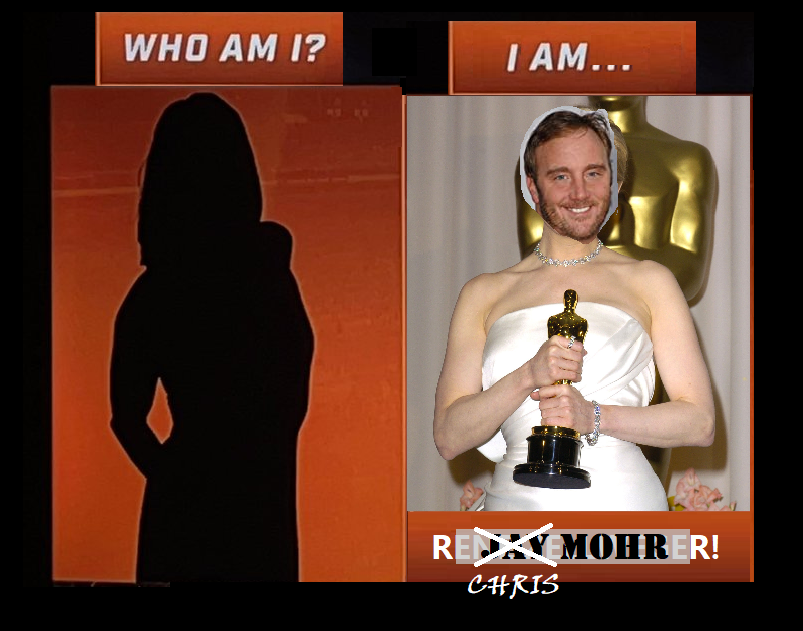 Oh no! Heisman campaign over already in only 15 minutes. Sadz.
Haynes King's Heisman campaign begins anew!!
There was a black fly in your chardonnay??
Football ... Basketball ... Baseball ... Other Sports ... Futbol ... 🤫995🤫 ... Gambling ... Movies & TV ... Music ... Hobbies ... Lulz ... Food & Travel ... Daily Texan ... Business & Markets ... Cloak Room ... Help ... For Sale ... Board Discussion ... Advertise... Tailgate Donations
Oh no! Heisman campaign over already in only 15 minutes. Sadz.
Haynes King's Heisman campaign begins anew!!
There was a black fly in your chardonnay??
Football ... Basketball ... Baseball ... Other Sports ... Futbol ... 🤫995🤫 ... Gambling ... Movies & TV ... Music ... Hobbies ... Lulz ... Food & Travel ... Daily Texan ... Business & Markets ... Cloak Room ... Help ... For Sale ... Board Discussion ... Advertise... Tailgate Donations






Account
Search
Configure browser push notifications
Chrome (Android)
- Tap the lock icon next to the address bar.
- Tap Permissions → Notifications.
- Adjust your preference.
Chrome (Desktop)
- Click the padlock icon in the address bar.
- Select Site settings.
- Find Notifications and adjust your preference.
Safari (iOS 16.4+)
- Ensure the site is installed via Add to Home Screen.
- Open Settings App → Notifications.
- Find your app name and adjust your preference.
Safari (macOS)
- Go to Safari → Preferences.
- Click the Websites tab.
- Select Notifications in the sidebar.
- Find this website and adjust your preference.
Edge (Android)
- Tap the lock icon next to the address bar.
- Tap Permissions.
- Find Notifications and adjust your preference.
Edge (Desktop)
- Click the padlock icon in the address bar.
- Click Permissions for this site.
- Find Notifications and adjust your preference.
Firefox (Android)
- Go to Settings → Site permissions.
- Tap Notifications.
- Find this site in the list and adjust your preference.
Firefox (Desktop)
- Open Firefox Settings.
- Search for Notifications.
- Find this site in the list and adjust your preference.