

cdain3
Legacy Members
-
Joined
-
Last visited
Everything posted by cdain3
-
Looking a little orange tonight.
-
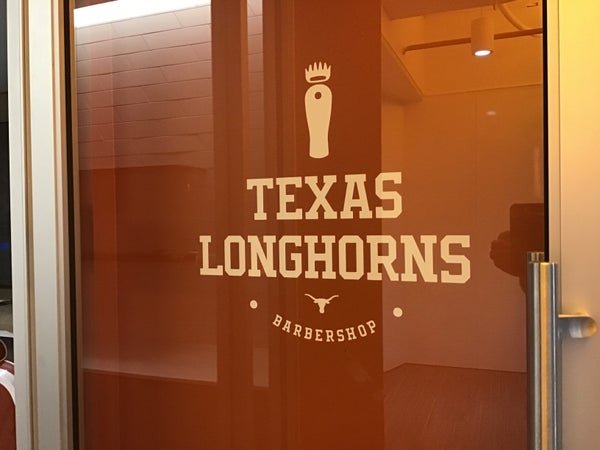
The laundry guy on horn247 posted these. That's all I've seen so far.



 I'm guessing they're gonna keep it bare until they add the other two screens.
CDC is one of us.
Monday is the big day.
.
It'll be just like the latech game two years ago.
If we lose to these mfers..........
Sexy
I'm guessing they're gonna keep it bare until they add the other two screens.
CDC is one of us.
Monday is the big day.
.
It'll be just like the latech game two years ago.
If we lose to these mfers..........
Sexy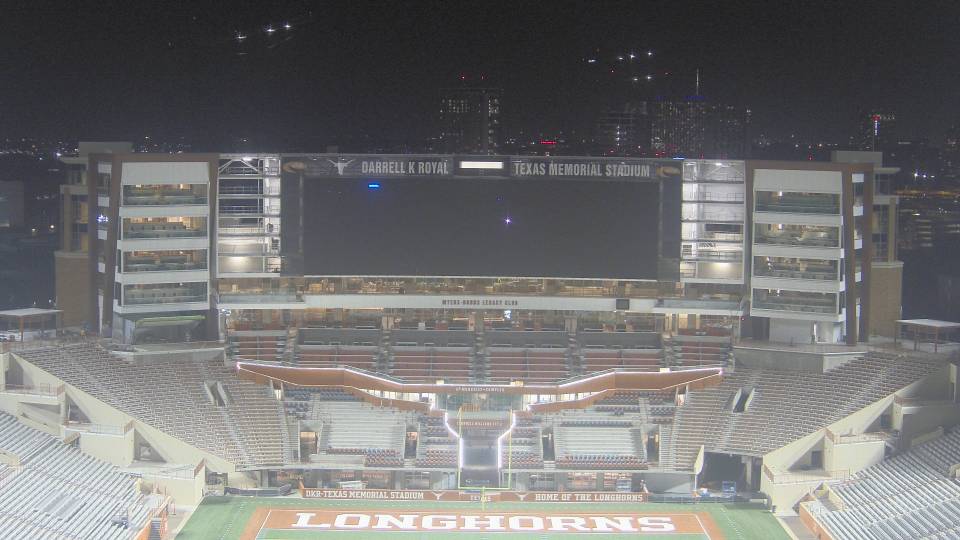 If the offense is atleast average, I wouldn't be surprised if we a top 20 defense this year. I'm not gonna chug the kool-aid just yet, but they look legit.
Jeff HoweSTAFF Posted on 53 secs, , User Since 133 months ago, User Post Count: 86702 53 secs 133 months 86702 Xavier Worthy is out with an illness, not COVID-related
WTH is going on with Alfred Collins?
Casey is blowing it.
Casey blew it. Sark has given him every opportunity to take the job.
Nm
If the offense is atleast average, I wouldn't be surprised if we a top 20 defense this year. I'm not gonna chug the kool-aid just yet, but they look legit.
Jeff HoweSTAFF Posted on 53 secs, , User Since 133 months ago, User Post Count: 86702 53 secs 133 months 86702 Xavier Worthy is out with an illness, not COVID-related
WTH is going on with Alfred Collins?
Casey is blowing it.
Casey blew it. Sark has given him every opportunity to take the job.
Nm
 Congrats on being the taller midget.Football ... Basketball ... Baseball ... Other Sports ... Futbol ... 🤫995🤫 ... Gambling ... Movies & TV ... Music ... Hobbies ... Lulz ... Food & Travel ... Daily Texan ... Business & Markets ... Cloak Room ... Help ... For Sale ... Board Discussion ... Advertise... Tailgate Donations






Account
Search
Configure browser push notifications
Chrome (Android)
- Tap the lock icon next to the address bar.
- Tap Permissions → Notifications.
- Adjust your preference.
Chrome (Desktop)
- Click the padlock icon in the address bar.
- Select Site settings.
- Find Notifications and adjust your preference.
Safari (iOS 16.4+)
- Ensure the site is installed via Add to Home Screen.
- Open Settings App → Notifications.
- Find your app name and adjust your preference.
Safari (macOS)
- Go to Safari → Preferences.
- Click the Websites tab.
- Select Notifications in the sidebar.
- Find this website and adjust your preference.
Edge (Android)
- Tap the lock icon next to the address bar.
- Tap Permissions.
- Find Notifications and adjust your preference.
Edge (Desktop)
- Click the padlock icon in the address bar.
- Click Permissions for this site.
- Find Notifications and adjust your preference.
Firefox (Android)
- Go to Settings → Site permissions.
- Tap Notifications.
- Find this site in the list and adjust your preference.
Firefox (Desktop)
- Open Firefox Settings.
- Search for Notifications.
- Find this site in the list and adjust your preference.