
shadow_operative
banned
-
Joined
Everything posted by shadow_operative
-
 what would we do without real american heroes like this guy protecting the public from the forces of evil??? back the blue!!!
 -
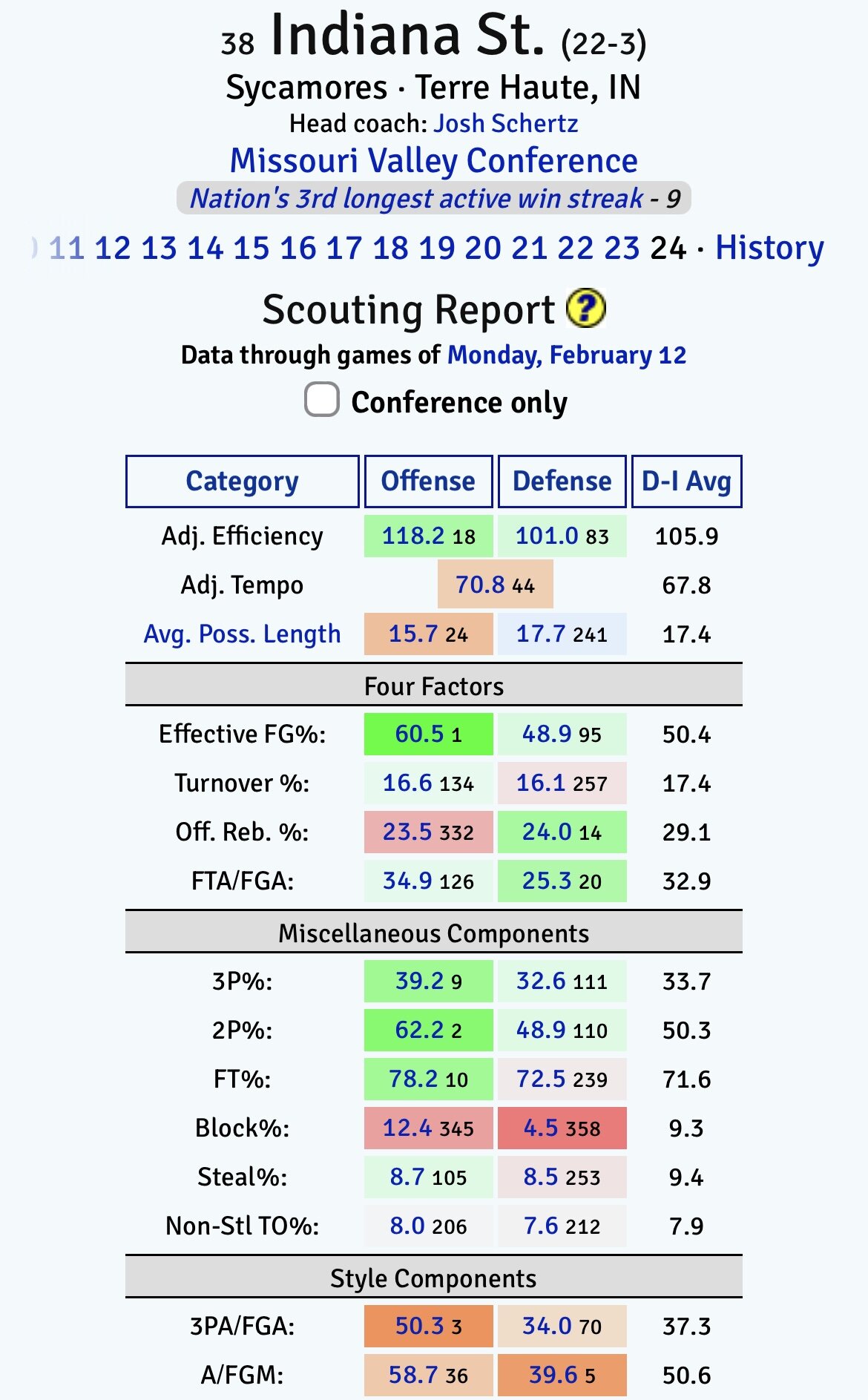
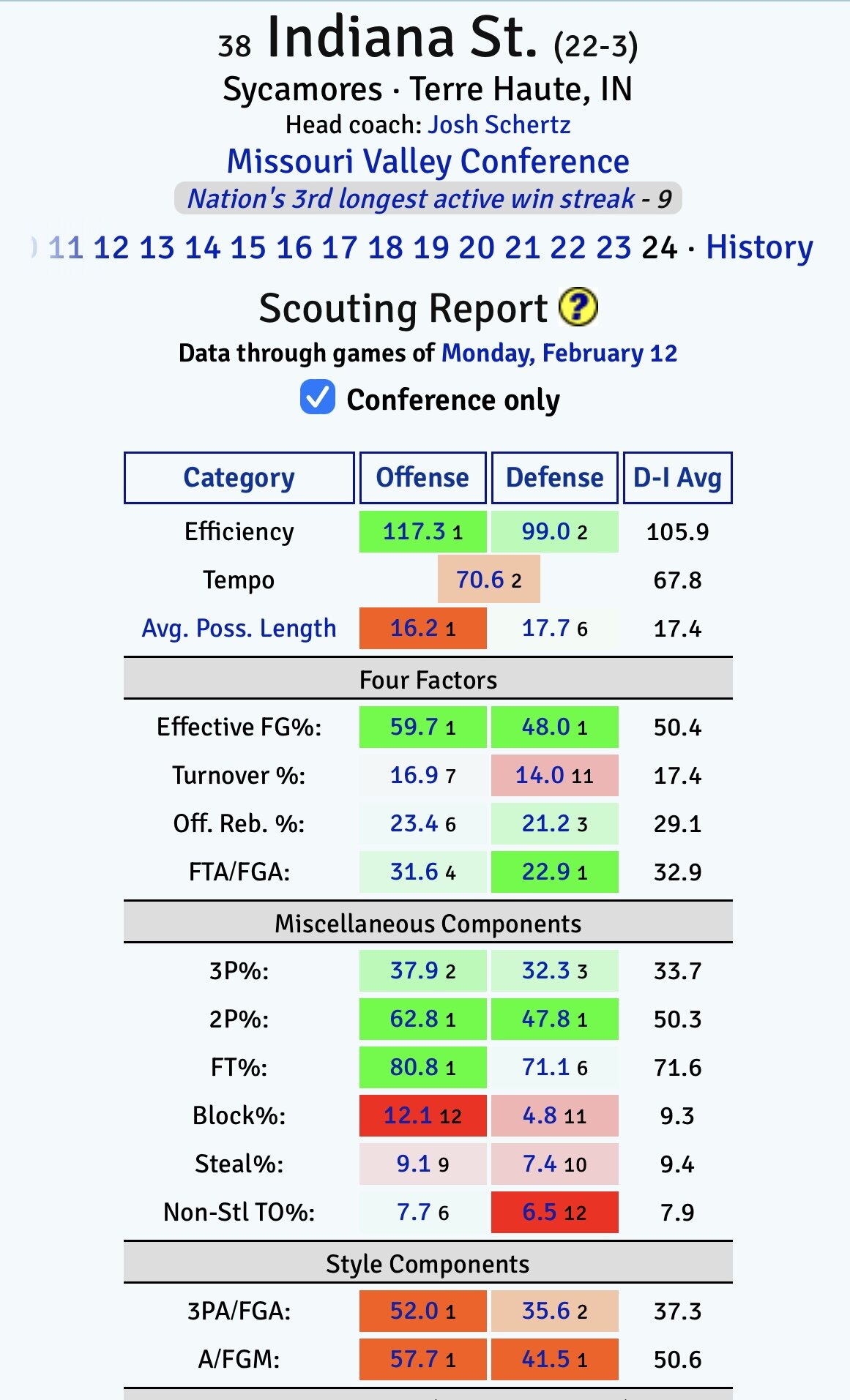
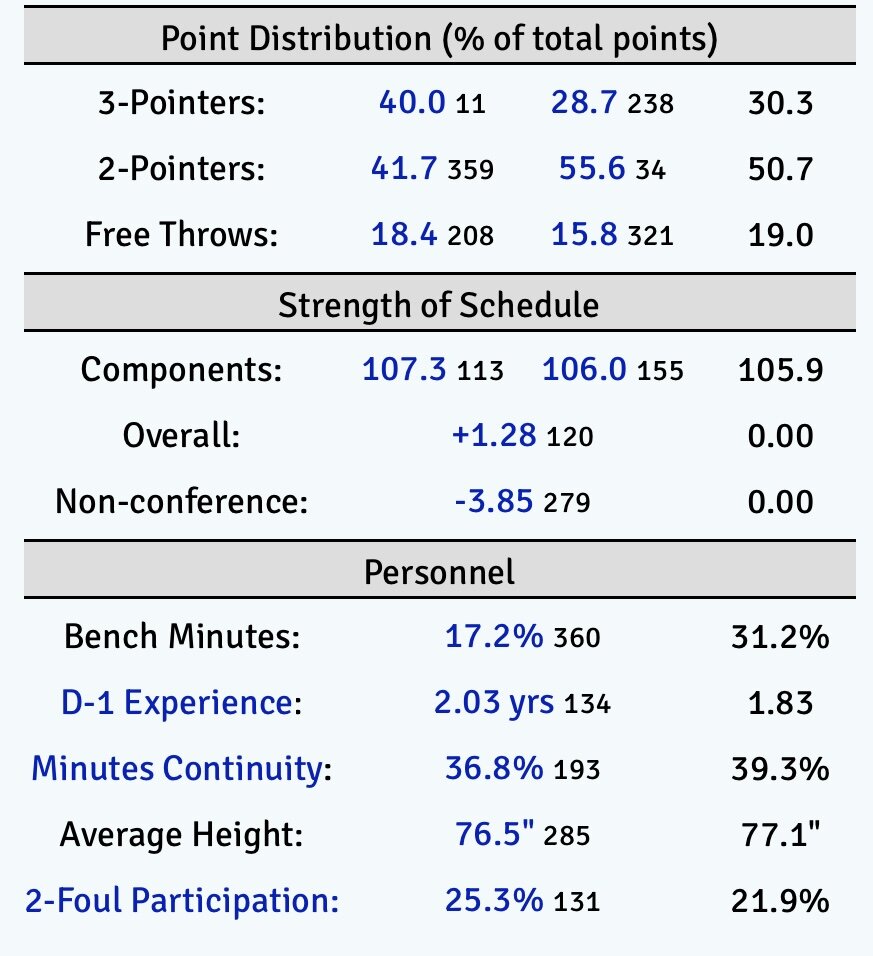
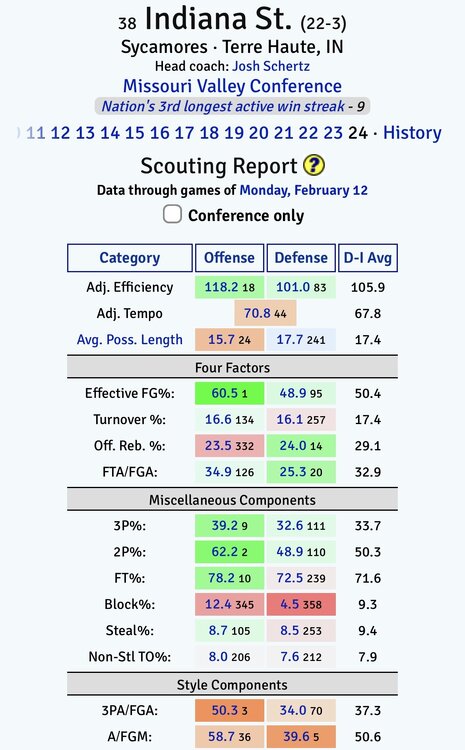
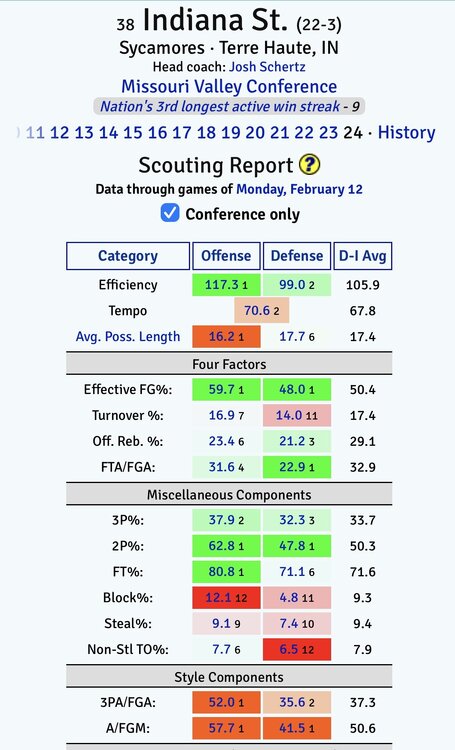
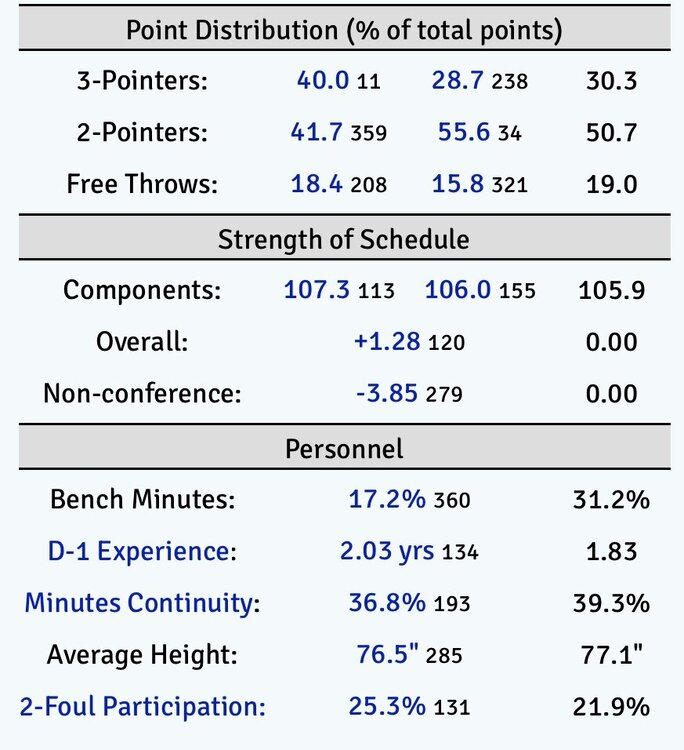
indiana state is fun: i’d love to see them make a postseason run.
-
it’s possible i misinterpreted the thread premise, but they're both cold, dark movies which take place in the winter time.
i never hear people talk about these movies:

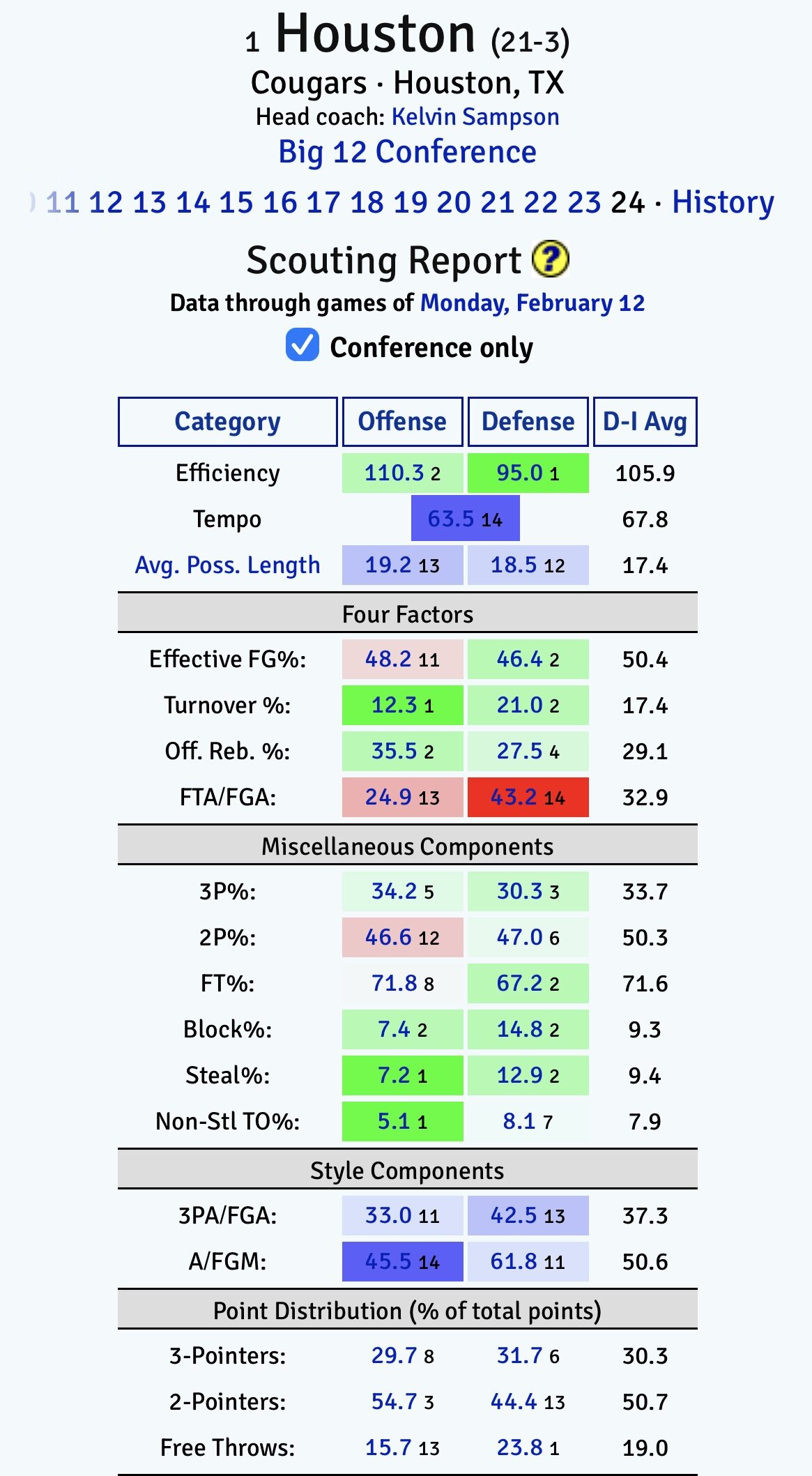
 imagine if he had played more than 29 minutes…
this “southern game day classic” is the worst thing i have ever seen. the lady who makes it looks like Marcia Langman from parks and rec, except that crazy cook lady is somehow more annoying: https://www.reddit.com/r/StupidFood/s/I9cTz3KtpJ
i hate these stupid, clickbait video titles, but there’s good stuff here:
reported as spam.
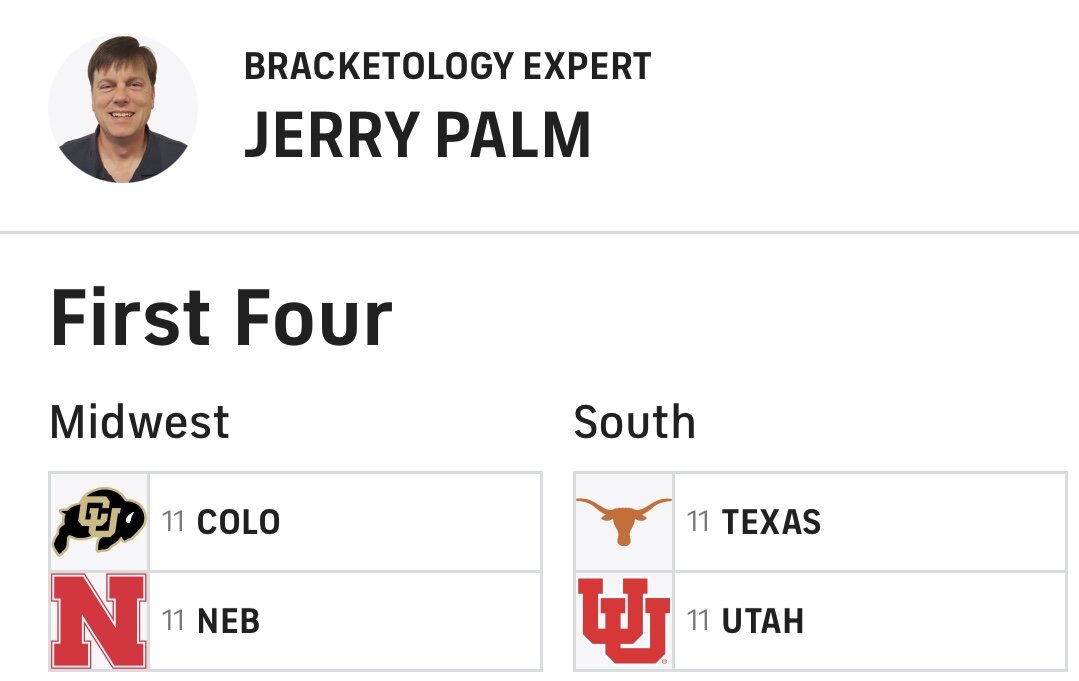
there is zero chance we miss the tourney at 8-10. win 8 and we’re in.
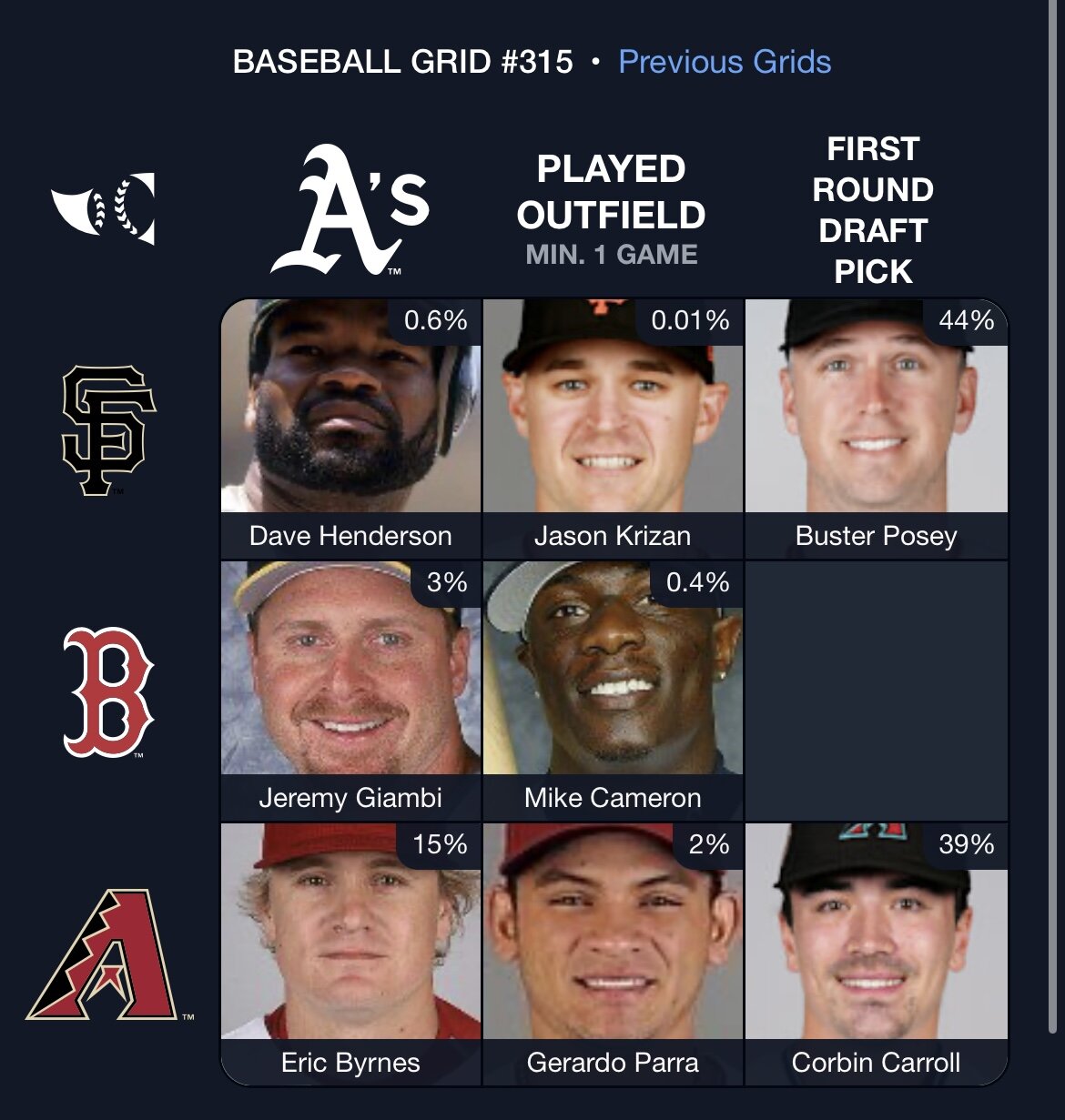
⚾️ Immaculate Grid 315 8/9: Rarity: 204 🟩🟩🟩 🟩🟩⬜️ 🟩🟩🟩 Play at: https://immaculategrid.com @immaculategrid x @baseball_ref
imagine if he had played more than 29 minutes…
this “southern game day classic” is the worst thing i have ever seen. the lady who makes it looks like Marcia Langman from parks and rec, except that crazy cook lady is somehow more annoying: https://www.reddit.com/r/StupidFood/s/I9cTz3KtpJ
i hate these stupid, clickbait video titles, but there’s good stuff here:
reported as spam.
there is zero chance we miss the tourney at 8-10. win 8 and we’re in.
⚾️ Immaculate Grid 315 8/9: Rarity: 204 🟩🟩🟩 🟩🟩⬜️ 🟩🟩🟩 Play at: https://immaculategrid.com @immaculategrid x @baseball_ref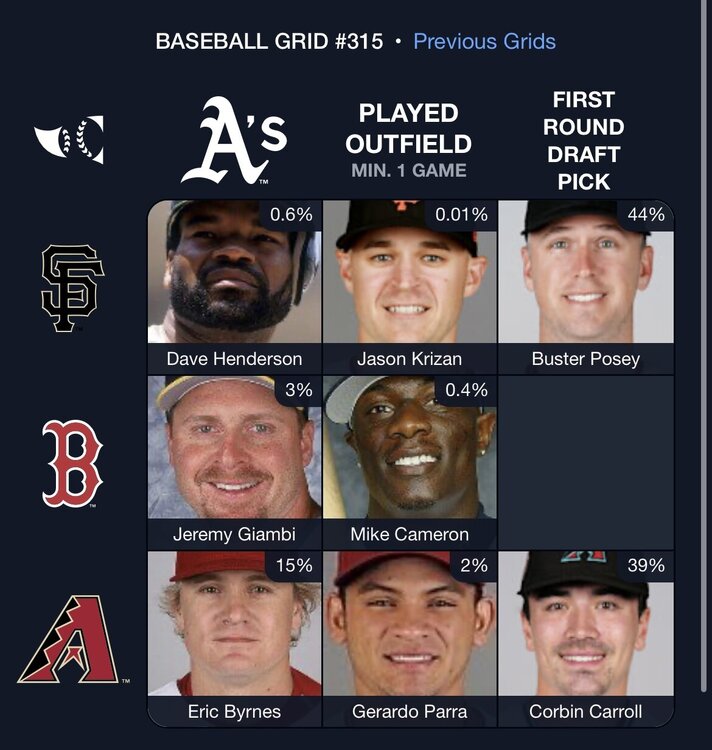 Football ... Basketball ... Baseball ... Other Sports ... Futbol ... 🤫995🤫 ... Gambling ... Movies & TV ... Music ... Hobbies ... Lulz ... Food & Travel ... Daily Texan ... Business & Markets ... Cloak Room ... Help ... For Sale ... Board Discussion ... Advertise... Tailgate Donations
Account
Search
Configure browser push notifications
Chrome (Android)
- Tap the lock icon next to the address bar.
- Tap Permissions → Notifications.
- Adjust your preference.
Chrome (Desktop)
- Click the padlock icon in the address bar.
- Select Site settings.
- Find Notifications and adjust your preference.
Safari (iOS 16.4+)
- Ensure the site is installed via Add to Home Screen.
- Open Settings App → Notifications.
- Find your app name and adjust your preference.
Safari (macOS)
- Go to Safari → Preferences.
- Click the Websites tab.
- Select Notifications in the sidebar.
- Find this website and adjust your preference.
Edge (Android)
- Tap the lock icon next to the address bar.
- Tap Permissions.
- Find Notifications and adjust your preference.
Edge (Desktop)
- Click the padlock icon in the address bar.
- Click Permissions for this site.
- Find Notifications and adjust your preference.
Firefox (Android)
- Go to Settings → Site permissions.
- Tap Notifications.
- Find this site in the list and adjust your preference.
Firefox (Desktop)
- Open Firefox Settings.
- Search for Notifications.
- Find this site in the list and adjust your preference.