
NaTeWHO
Legacy Members
-
Joined
-
Last visited
Everything posted by NaTeWHO
-
 Watts is fucking trash.
 -
Bwaaaahahaha
-
This is exactly why I wasn't confident all week. I have seen this shit for 10 years now.
-
Can't help but step on our dicks. Nice kickoff.
-
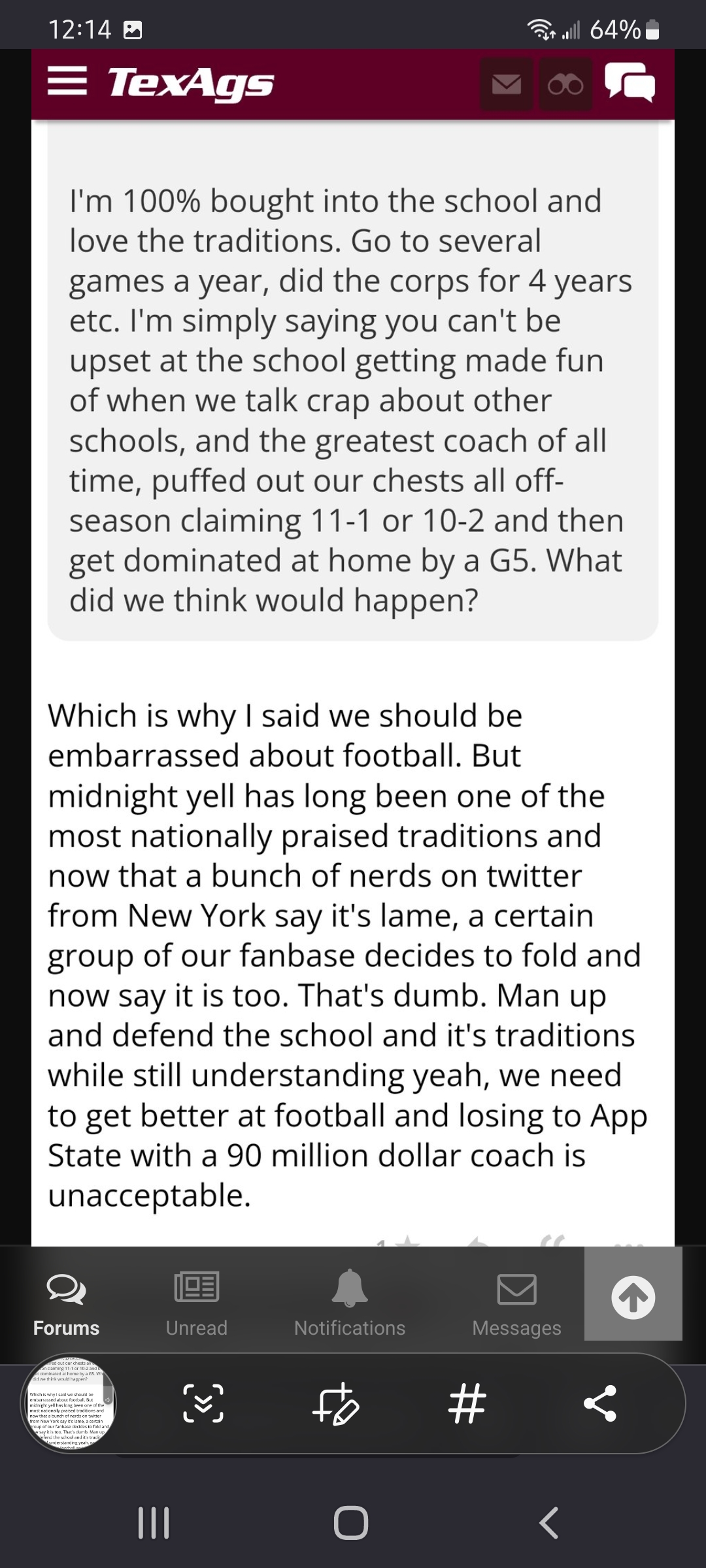
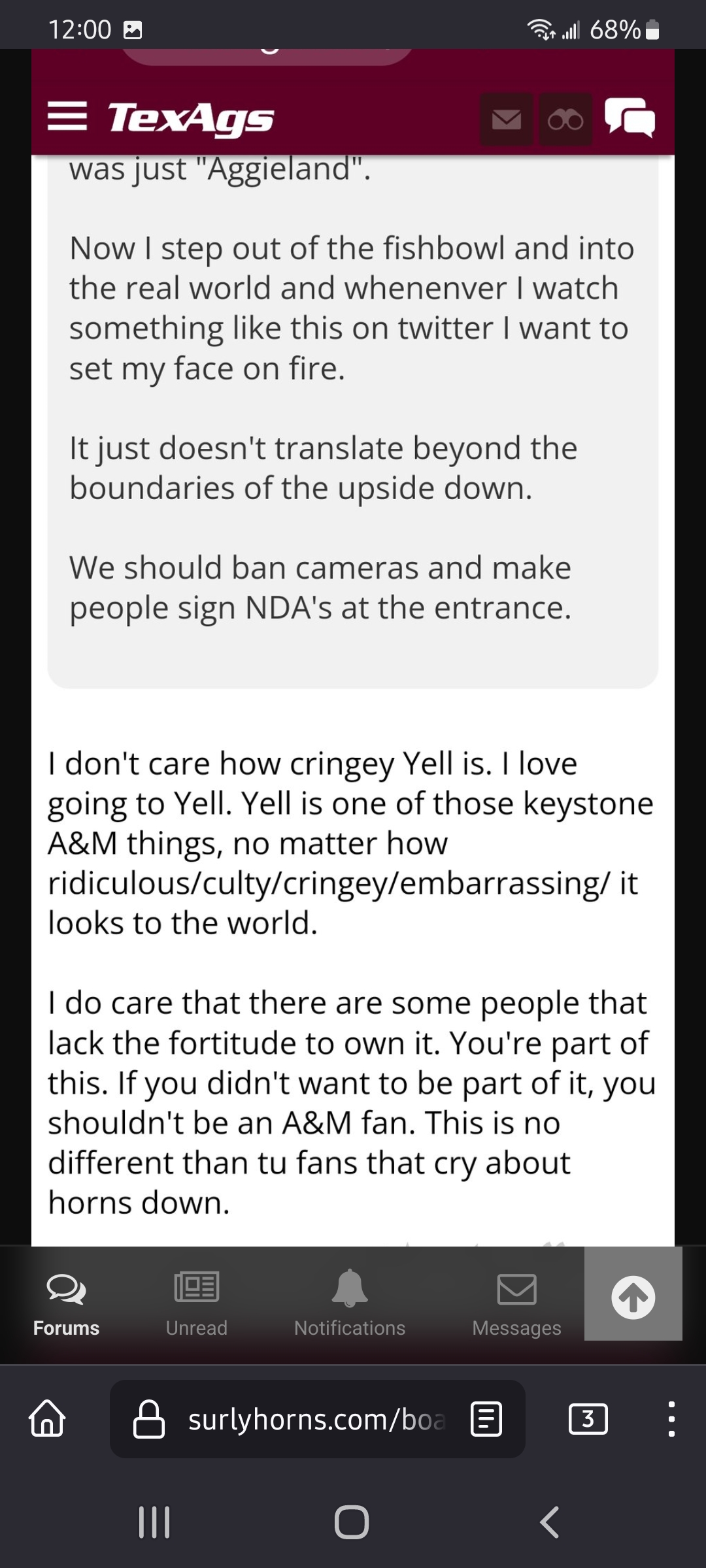
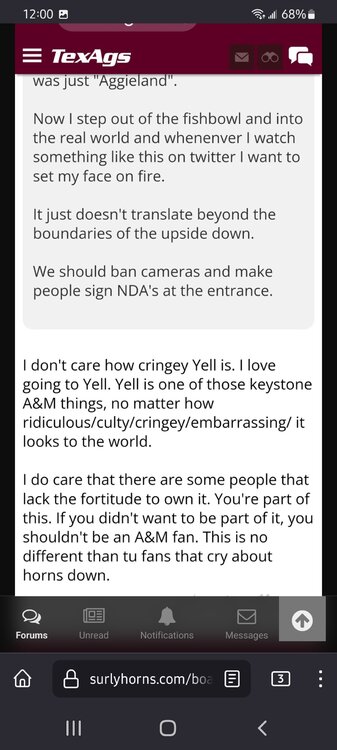
So "nationally praised" that no one knows what it is, hence the national shock of seeing it for the first time.
-
This guy capitalized "Yell" the same way he would capitalize "God."
-
That wasn't on Bob.
I remember the first time I tried to post a pic on Surly.
Yay TE
Struggered striggled.
Street fight hit and run A different angle.
That gibbs moron uses "like" when posting on a message board. I've never seen anyone do that until now. People who use like constantly when talking are stupid, people who use like when typing... aggy.
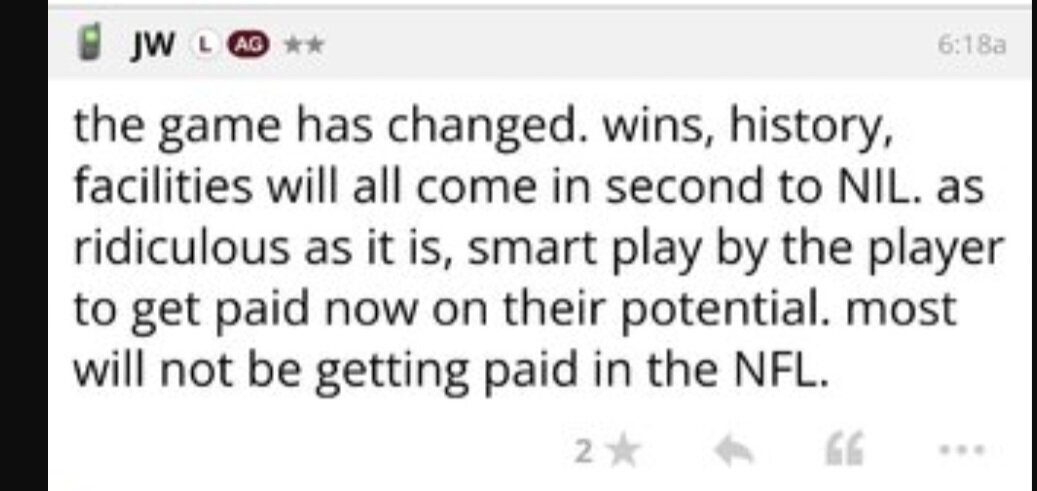
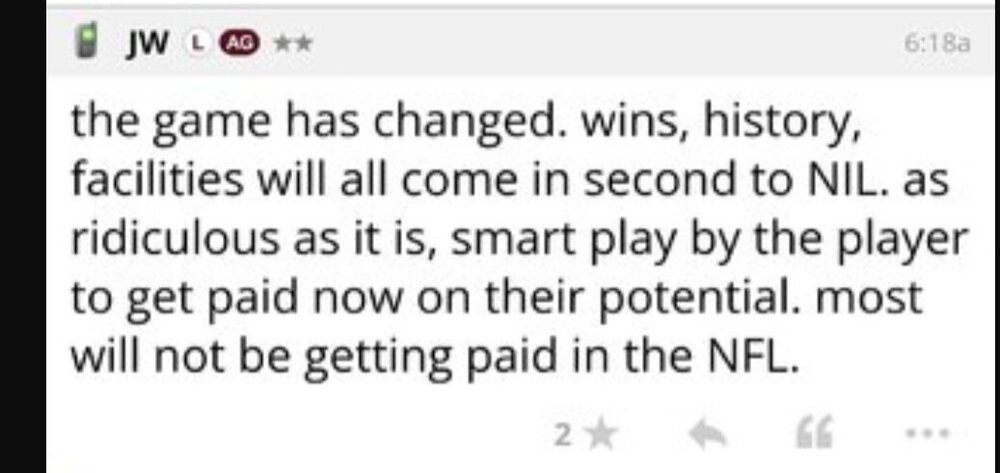
"Wins, history..." Isn't that a good thing for aggy?
 No Brad?
But really, 6'2" 215.
Football ... Basketball ... Baseball ... Other Sports ... Futbol ... 🤫995🤫 ... Gambling ... Movies & TV ... Music ... Hobbies ... Lulz ... Food & Travel ... Daily Texan ... Business & Markets ... Cloak Room ... Help ... For Sale ... Board Discussion ... Advertise... Tailgate Donations
No Brad?
But really, 6'2" 215.
Football ... Basketball ... Baseball ... Other Sports ... Futbol ... 🤫995🤫 ... Gambling ... Movies & TV ... Music ... Hobbies ... Lulz ... Food & Travel ... Daily Texan ... Business & Markets ... Cloak Room ... Help ... For Sale ... Board Discussion ... Advertise... Tailgate DonationsAccount
Search
Configure browser push notifications
Chrome (Android)
- Tap the lock icon next to the address bar.
- Tap Permissions → Notifications.
- Adjust your preference.
Chrome (Desktop)
- Click the padlock icon in the address bar.
- Select Site settings.
- Find Notifications and adjust your preference.
Safari (iOS 16.4+)
- Ensure the site is installed via Add to Home Screen.
- Open Settings App → Notifications.
- Find your app name and adjust your preference.
Safari (macOS)
- Go to Safari → Preferences.
- Click the Websites tab.
- Select Notifications in the sidebar.
- Find this website and adjust your preference.
Edge (Android)
- Tap the lock icon next to the address bar.
- Tap Permissions.
- Find Notifications and adjust your preference.
Edge (Desktop)
- Click the padlock icon in the address bar.
- Click Permissions for this site.
- Find Notifications and adjust your preference.
Firefox (Android)
- Go to Settings → Site permissions.
- Tap Notifications.
- Find this site in the list and adjust your preference.
Firefox (Desktop)
- Open Firefox Settings.
- Search for Notifications.
- Find this site in the list and adjust your preference.