Big Woodrows
Burnt Ends
-
Joined
-
Last visited
Everything posted by Big Woodrows
-
Bama bound per Wells
Gone
Hate to disappoint but @Bruh Man is right, Hamilton (indirectly) confirmed he was referring to Hall
They really think they're flipping Zachariah Branch? (This is a half-serious, half-incredulous question)
Gerry at 2:45: "Hearing more positive vibes on AH this afternoon." In response to a question about decision timeline: "I say before, or early in season."
IT recruiting nuggets
Flood just retweeted a random two week old tweet from Mitchell's HS coach...it's happening
IT recruiting notes (possibly worth noting that Hamilton took the time to directly point out that they are going silent on Muhammad)
IT percentages post-Arch
this is the gif he tweeted, for those that missed it
sigh
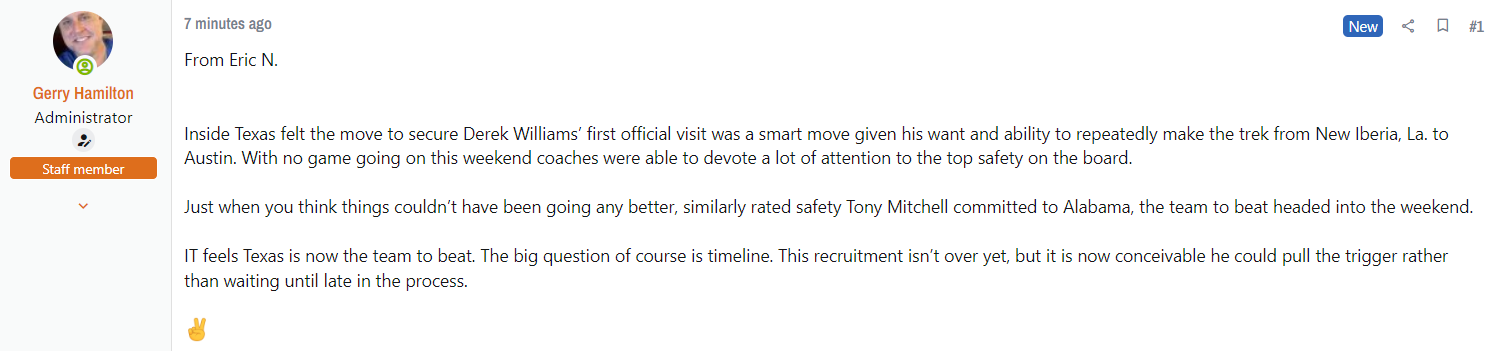
Derek Williams
 Lol there are multiple users who go on IT and pass CTJ's info off as their own
Not really...
Football ... Basketball ... Baseball ... Other Sports ... Futbol ... 🤫995🤫 ... Gambling ... Movies & TV ... Music ... Hobbies ... Lulz ... Food & Travel ... Daily Texan ... Business & Markets ... Cloak Room ... Help ... For Sale ... Board Discussion ... Advertise... Tailgate Donations
Lol there are multiple users who go on IT and pass CTJ's info off as their own
Not really...
Football ... Basketball ... Baseball ... Other Sports ... Futbol ... 🤫995🤫 ... Gambling ... Movies & TV ... Music ... Hobbies ... Lulz ... Food & Travel ... Daily Texan ... Business & Markets ... Cloak Room ... Help ... For Sale ... Board Discussion ... Advertise... Tailgate DonationsAccount
Search
Configure browser push notifications
Chrome (Android)
- Tap the lock icon next to the address bar.
- Tap Permissions → Notifications.
- Adjust your preference.
Chrome (Desktop)
- Click the padlock icon in the address bar.
- Select Site settings.
- Find Notifications and adjust your preference.
Safari (iOS 16.4+)
- Ensure the site is installed via Add to Home Screen.
- Open Settings App → Notifications.
- Find your app name and adjust your preference.
Safari (macOS)
- Go to Safari → Preferences.
- Click the Websites tab.
- Select Notifications in the sidebar.
- Find this website and adjust your preference.
Edge (Android)
- Tap the lock icon next to the address bar.
- Tap Permissions.
- Find Notifications and adjust your preference.
Edge (Desktop)
- Click the padlock icon in the address bar.
- Click Permissions for this site.
- Find Notifications and adjust your preference.
Firefox (Android)
- Go to Settings → Site permissions.
- Tap Notifications.
- Find this site in the list and adjust your preference.
Firefox (Desktop)
- Open Firefox Settings.
- Search for Notifications.
- Find this site in the list and adjust your preference.