Born Burnt
Legacy Members
-
Joined
Everything posted by Born Burnt
-
 fify
Checkin' in on night crew's BDE, and it looks like business as usual...
No, "Thieves Like Us" is about Tom Herman. I'm posting about the morning crew's BDE.
I'd give here the southern tip of my BDE.
At a hotel in Houston.
I've actually seen them perform live.
fify
At least "sausage" is getting us closer back to BDE.
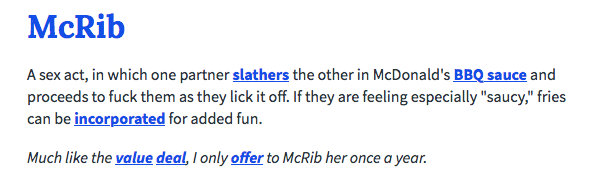
Lulz. Even my computer senses the BDE of this thread. My browser just gave this message, which I've never seen before:
fify
Checkin' in on night crew's BDE, and it looks like business as usual...
No, "Thieves Like Us" is about Tom Herman. I'm posting about the morning crew's BDE.
I'd give here the southern tip of my BDE.
At a hotel in Houston.
I've actually seen them perform live.
fify
At least "sausage" is getting us closer back to BDE.
Lulz. Even my computer senses the BDE of this thread. My browser just gave this message, which I've never seen before: That's the kind of BVE we need!
Not Night Crew standards.
Don't stop, Night Crew!
1, 2
I thought this was a Q&A with Kirk Bohls.
Football ... Basketball ... Baseball ... Other Sports ... Futbol ... 🤫995🤫 ... Gambling ... Movies & TV ... Music ... Hobbies ... Lulz ... Food & Travel ... Daily Texan ... Business & Markets ... Cloak Room ... Help ... For Sale ... Board Discussion ... Advertise... Tailgate Donations
That's the kind of BVE we need!
Not Night Crew standards.
Don't stop, Night Crew!
1, 2
I thought this was a Q&A with Kirk Bohls.
Football ... Basketball ... Baseball ... Other Sports ... Futbol ... 🤫995🤫 ... Gambling ... Movies & TV ... Music ... Hobbies ... Lulz ... Food & Travel ... Daily Texan ... Business & Markets ... Cloak Room ... Help ... For Sale ... Board Discussion ... Advertise... Tailgate DonationsAccount
Search
Configure browser push notifications
Chrome (Android)
- Tap the lock icon next to the address bar.
- Tap Permissions → Notifications.
- Adjust your preference.
Chrome (Desktop)
- Click the padlock icon in the address bar.
- Select Site settings.
- Find Notifications and adjust your preference.
Safari (iOS 16.4+)
- Ensure the site is installed via Add to Home Screen.
- Open Settings App → Notifications.
- Find your app name and adjust your preference.
Safari (macOS)
- Go to Safari → Preferences.
- Click the Websites tab.
- Select Notifications in the sidebar.
- Find this website and adjust your preference.
Edge (Android)
- Tap the lock icon next to the address bar.
- Tap Permissions.
- Find Notifications and adjust your preference.
Edge (Desktop)
- Click the padlock icon in the address bar.
- Click Permissions for this site.
- Find Notifications and adjust your preference.
Firefox (Android)
- Go to Settings → Site permissions.
- Tap Notifications.
- Find this site in the list and adjust your preference.
Firefox (Desktop)
- Open Firefox Settings.
- Search for Notifications.
- Find this site in the list and adjust your preference.