

Radical Larry
Full Members
-
Joined
Everything posted by Radical Larry
-
 I heard Putin is taking refugees.
 -
Preferably via PM
You mean “My City Was Gone”?
Pritzker was great as Landsman in The Wire.
Of course we got some Kendrick.
Oh shit, Joe has some late-night pep in his step.
Holy shit I forgot about that.
The only one in this race.
The old man is gonna have a rough night.
Lol no
No, I just don’t get worked up when a recruitment doesn’t go Texas’ way.
Furk
It’s funny to see this board flip out over recruiting any time of the year.
Now all that’s left for the chef’s kiss is Swift publicly supporting Harris.
I was thinking of the immortal words of Socrates, who said, “I drank what?”
72 according to Next Gen Stats.
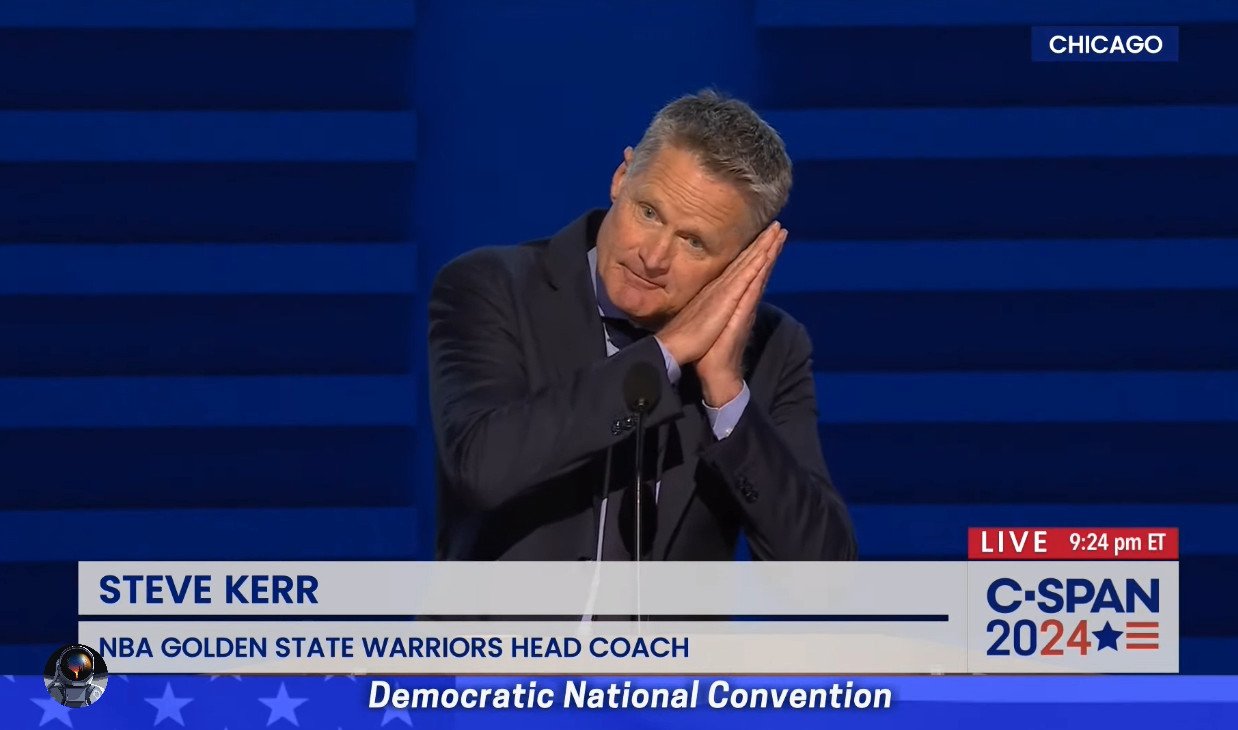
How do you say Josh Hawley in sign language?
 Brooke is on this? I’m in.





Football ...
Basketball ...
Baseball ...
Other Sports ...
Futbol ...
🤫995🤫 ...
Gambling ...
Movies & TV ...
Music ...
Hobbies ...
Lulz ...
Food & Travel
...
Daily Texan ...
Business & Markets ...
Cloak Room ...
Help ...
For Sale ...
Board Discussion ...
Advertise...
Tailgate Donations
Account
Search
Configure browser push notifications
Chrome (Android)
- Tap the lock icon next to the address bar.
- Tap Permissions → Notifications.
- Adjust your preference.
Chrome (Desktop)
- Click the padlock icon in the address bar.
- Select Site settings.
- Find Notifications and adjust your preference.
Safari (iOS 16.4+)
- Ensure the site is installed via Add to Home Screen.
- Open Settings App → Notifications.
- Find your app name and adjust your preference.
Safari (macOS)
- Go to Safari → Preferences.
- Click the Websites tab.
- Select Notifications in the sidebar.
- Find this website and adjust your preference.
Edge (Android)
- Tap the lock icon next to the address bar.
- Tap Permissions.
- Find Notifications and adjust your preference.
Edge (Desktop)
- Click the padlock icon in the address bar.
- Click Permissions for this site.
- Find Notifications and adjust your preference.
Firefox (Android)
- Go to Settings → Site permissions.
- Tap Notifications.
- Find this site in the list and adjust your preference.
Firefox (Desktop)
- Open Firefox Settings.
- Search for Notifications.
- Find this site in the list and adjust your preference.