
UTEX_ME
Legacy Members
-
Joined
-
Last visited
Everything posted by UTEX_ME
-
 receiver wasn't square to line of scrimmage, they got vandy for that in our game.
 -
Blouses And poor aggy best win looks like ass
-
Too easy for Bama
-
Weeeeeeeeeeeeeeere fuck you georgia!
-
Man here comes the refs
-
Thank God
-
Next 3 opponents run the ball like crazy.. yay
-
Pathetic
-
God our backs love to fumble
-
We are terrible against the run
-
God I hope Freshwater slaughters Gawga
-
Bobbled it on the ground incomplete
-
I know. Luckily Florida is hurt everywhere that will be the narrative
-
Decline it sark!
-
I can’t wait for Ewers to leave
-
Should have run it twice
-
Slightly underthrown ugh
-
Quinn can’t see downfield again
-
14-7 upcoming
-
As soon as the drive is stopped we fall apart
-
-
We are so fucked if they can run. Route 66 upcoming
-
Terrible start
-
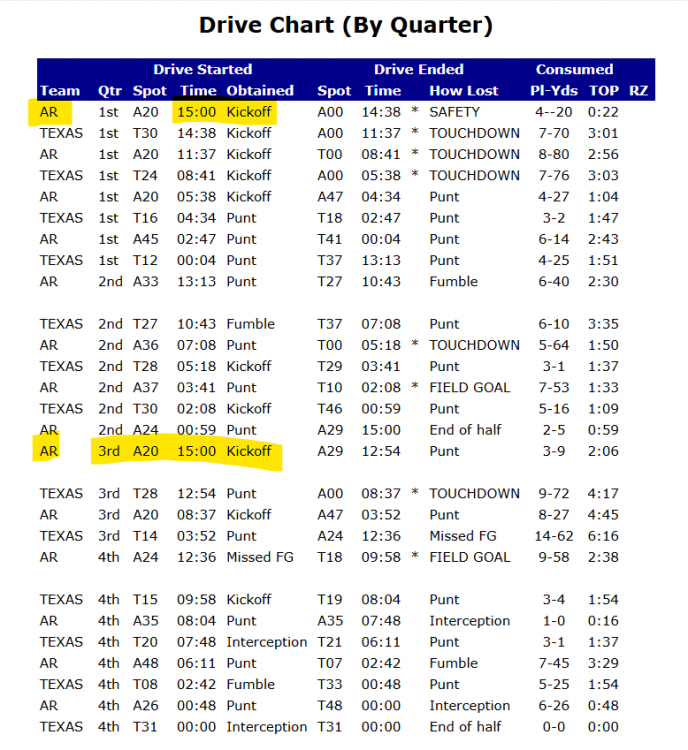
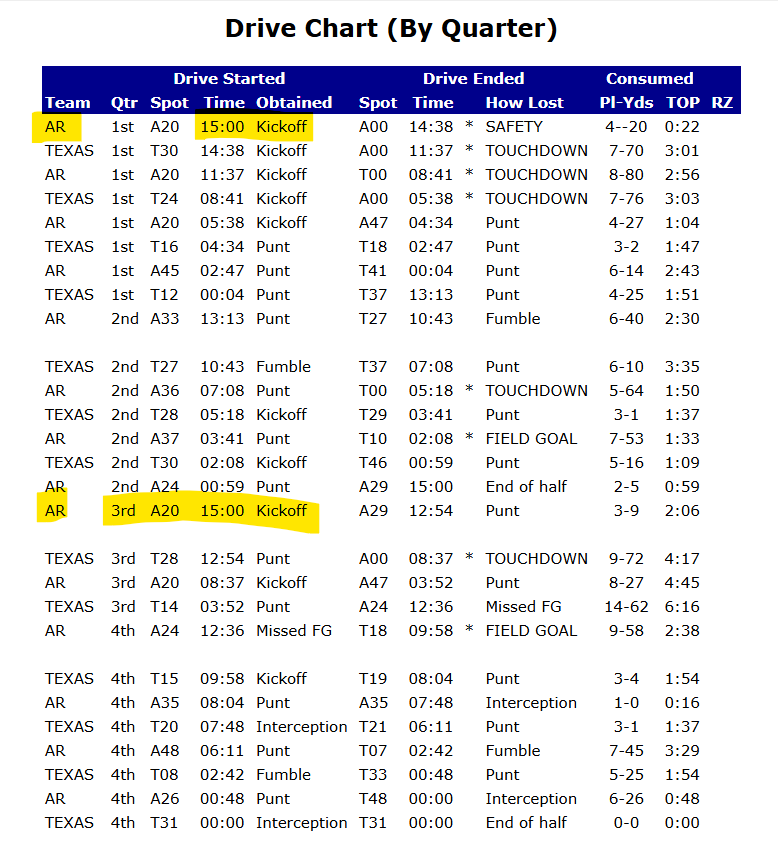
Arkansas 2004






Football ...
Basketball ...
Baseball ...
Other Sports ...
Futbol ...
🤫995🤫 ...
Gambling ...
Movies & TV ...
Music ...
Hobbies ...
Lulz ...
Food & Travel
...
Daily Texan ...
Business & Markets ...
Cloak Room ...
Help ...
For Sale ...
Board Discussion ...
Advertise...
Tailgate Donations