.gif.8a65cb4cbf8489b63521db226cf21f2a.gif)
NYBevo
Legacy Members
-
Joined
-
Last visited
Everything posted by NYBevo
-
.thumb.gif.36610ec1789bca0a559785cade46a7f6.gif) #payjimbo
#payjimbo -
Welcome! and goodbye
-
The Hall of Champions got a little more empty
 Its all they have man.
Hoes mad meme.mp4
Fixed it stop_it.mp4
Hopefully get a remake of this
Its all they have man.
Hoes mad meme.mp4
Fixed it stop_it.mp4
Hopefully get a remake of this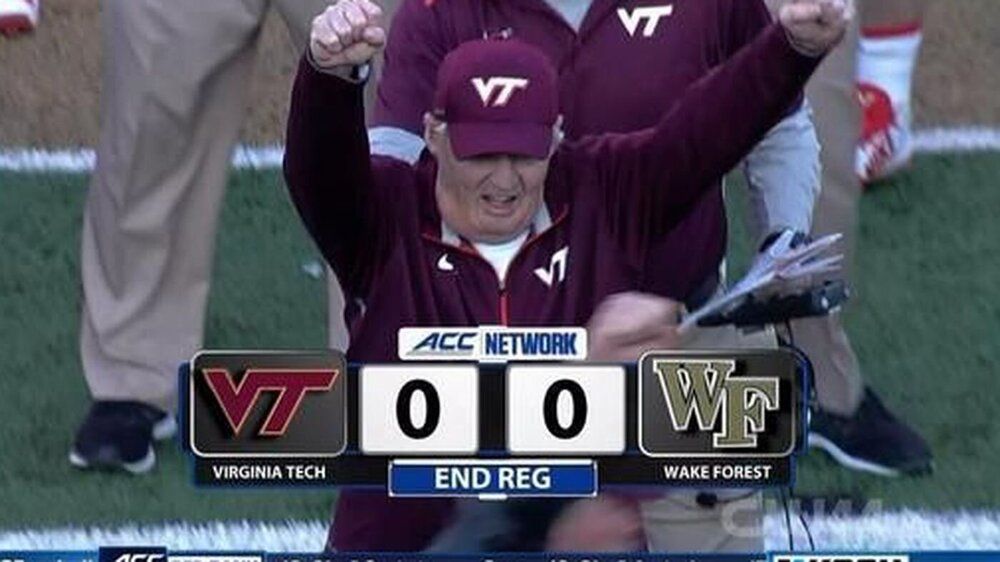 Maybe Yurcich was calling plays here
Ohio State Head Coach Tom Herman
Thujones needs to design the wrap for the RV, IMO
Football ... Basketball ... Baseball ... Other Sports ... Futbol ... 🤫995🤫 ... Gambling ... Movies & TV ... Music ... Hobbies ... Lulz ... Food & Travel ... Daily Texan ... Business & Markets ... Cloak Room ... Help ... For Sale ... Board Discussion ... Advertise... Tailgate Donations
Maybe Yurcich was calling plays here
Ohio State Head Coach Tom Herman
Thujones needs to design the wrap for the RV, IMO
Football ... Basketball ... Baseball ... Other Sports ... Futbol ... 🤫995🤫 ... Gambling ... Movies & TV ... Music ... Hobbies ... Lulz ... Food & Travel ... Daily Texan ... Business & Markets ... Cloak Room ... Help ... For Sale ... Board Discussion ... Advertise... Tailgate DonationsAccount
Search
Configure browser push notifications
Chrome (Android)
- Tap the lock icon next to the address bar.
- Tap Permissions → Notifications.
- Adjust your preference.
Chrome (Desktop)
- Click the padlock icon in the address bar.
- Select Site settings.
- Find Notifications and adjust your preference.
Safari (iOS 16.4+)
- Ensure the site is installed via Add to Home Screen.
- Open Settings App → Notifications.
- Find your app name and adjust your preference.
Safari (macOS)
- Go to Safari → Preferences.
- Click the Websites tab.
- Select Notifications in the sidebar.
- Find this website and adjust your preference.
Edge (Android)
- Tap the lock icon next to the address bar.
- Tap Permissions.
- Find Notifications and adjust your preference.
Edge (Desktop)
- Click the padlock icon in the address bar.
- Click Permissions for this site.
- Find Notifications and adjust your preference.
Firefox (Android)
- Go to Settings → Site permissions.
- Tap Notifications.
- Find this site in the list and adjust your preference.
Firefox (Desktop)
- Open Firefox Settings.
- Search for Notifications.
- Find this site in the list and adjust your preference.