


Alex Karev
Legacy Members
-
Joined
-
Last visited
Everything posted by Alex Karev
-
 Hey, the cameras sure didn't focus much on Mahomes tonight!
 -
Hook'em!
-
I'm headed to get 10 lottery tickets!
-
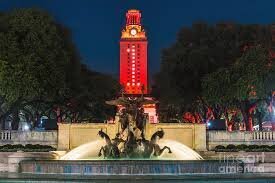
We are winning game 3 and Canady is going to have a lot of trouble late in the game and the long ball is going to be back. Get ready to light the Tower.
-
-
How many stickers on that OSU helmet were from the Michigan ass whipping?
Hook'em!
 Did anyone report all those Drones flying around DKR Memorial Stadium Saturday night? It was scary.
To me it was one of the best games I have attended in many years. I think the second half was the loudest I have ever experienced. We had a few Clemson fans in our area that got overwhelming for a few minutes, then our Defense shut them down and Blue broke their will, and they headed to the exits. It was a great night's be a Longhorn . Hook'em!
Did anyone report all those Drones flying around DKR Memorial Stadium Saturday night? It was scary.
To me it was one of the best games I have attended in many years. I think the second half was the loudest I have ever experienced. We had a few Clemson fans in our area that got overwhelming for a few minutes, then our Defense shut them down and Blue broke their will, and they headed to the exits. It was a great night's be a Longhorn . Hook'em! Hook'em
 This is great! Maybe my ulcers can heal.
 Hook'em!
 Wow!!! HOOK'EM! #1
 #1
#1 Hook'em
 BOOM!
BOOM!















Football ...
Basketball ...
Baseball ...
Other Sports ...
Futbol ...
🤫995🤫 ...
Gambling ...
Movies & TV ...
Music ...
Hobbies ...
Lulz ...
Food & Travel
...
Daily Texan ...
Business & Markets ...
Cloak Room ...
Help ...
For Sale ...
Board Discussion ...
Advertise...
Tailgate Donations
Account
Search
Configure browser push notifications
Chrome (Android)
- Tap the lock icon next to the address bar.
- Tap Permissions → Notifications.
- Adjust your preference.
Chrome (Desktop)
- Click the padlock icon in the address bar.
- Select Site settings.
- Find Notifications and adjust your preference.
Safari (iOS 16.4+)
- Ensure the site is installed via Add to Home Screen.
- Open Settings App → Notifications.
- Find your app name and adjust your preference.
Safari (macOS)
- Go to Safari → Preferences.
- Click the Websites tab.
- Select Notifications in the sidebar.
- Find this website and adjust your preference.
Edge (Android)
- Tap the lock icon next to the address bar.
- Tap Permissions.
- Find Notifications and adjust your preference.
Edge (Desktop)
- Click the padlock icon in the address bar.
- Click Permissions for this site.
- Find Notifications and adjust your preference.
Firefox (Android)
- Go to Settings → Site permissions.
- Tap Notifications.
- Find this site in the list and adjust your preference.
Firefox (Desktop)
- Open Firefox Settings.
- Search for Notifications.
- Find this site in the list and adjust your preference.