Ted Lange
Legacy Members
-
Joined
-
Last visited
Everything posted by Ted Lange
-

-
Another meh first half performance. Let’s hope the 2nd half is more like the 2nd half vs Villa for Arsenal.
-
Martinelli not making much of a case for more PT.
-
That’s how you come back from a shit mistake. Only the 7th goal they’ve allowed at home. Make it two! Perfect chance for it
-
This is why we lost twice to this team last season. Cursed
-
-
SHOOT it Gyokeres. Damn
-
Did not expect Rice to play, or both of Trossard and Saka to be on the bench.
Trump is gonna lose it when he sees that and it doesn't look like Wonder Woman's plane.
IYKYK
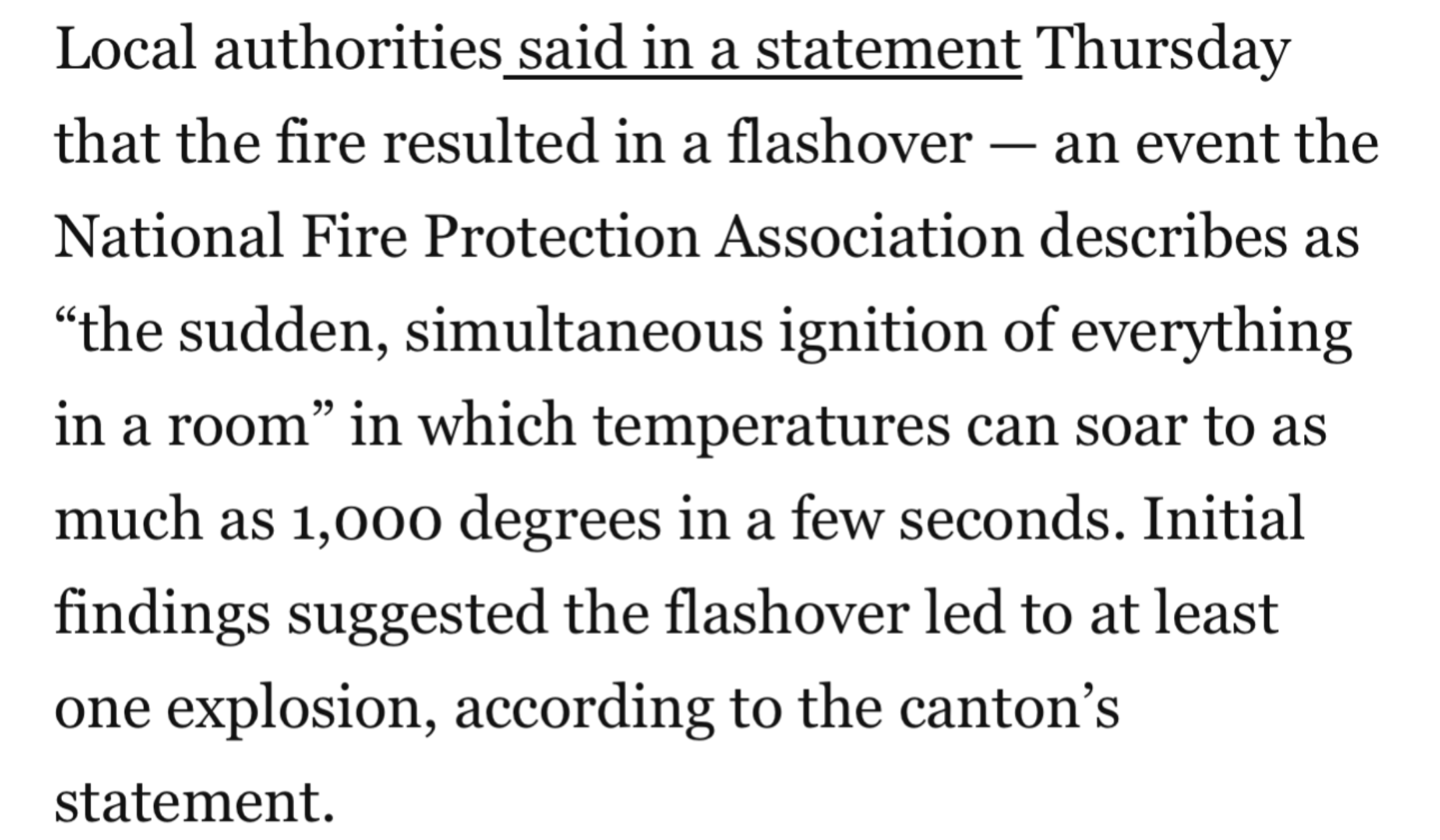
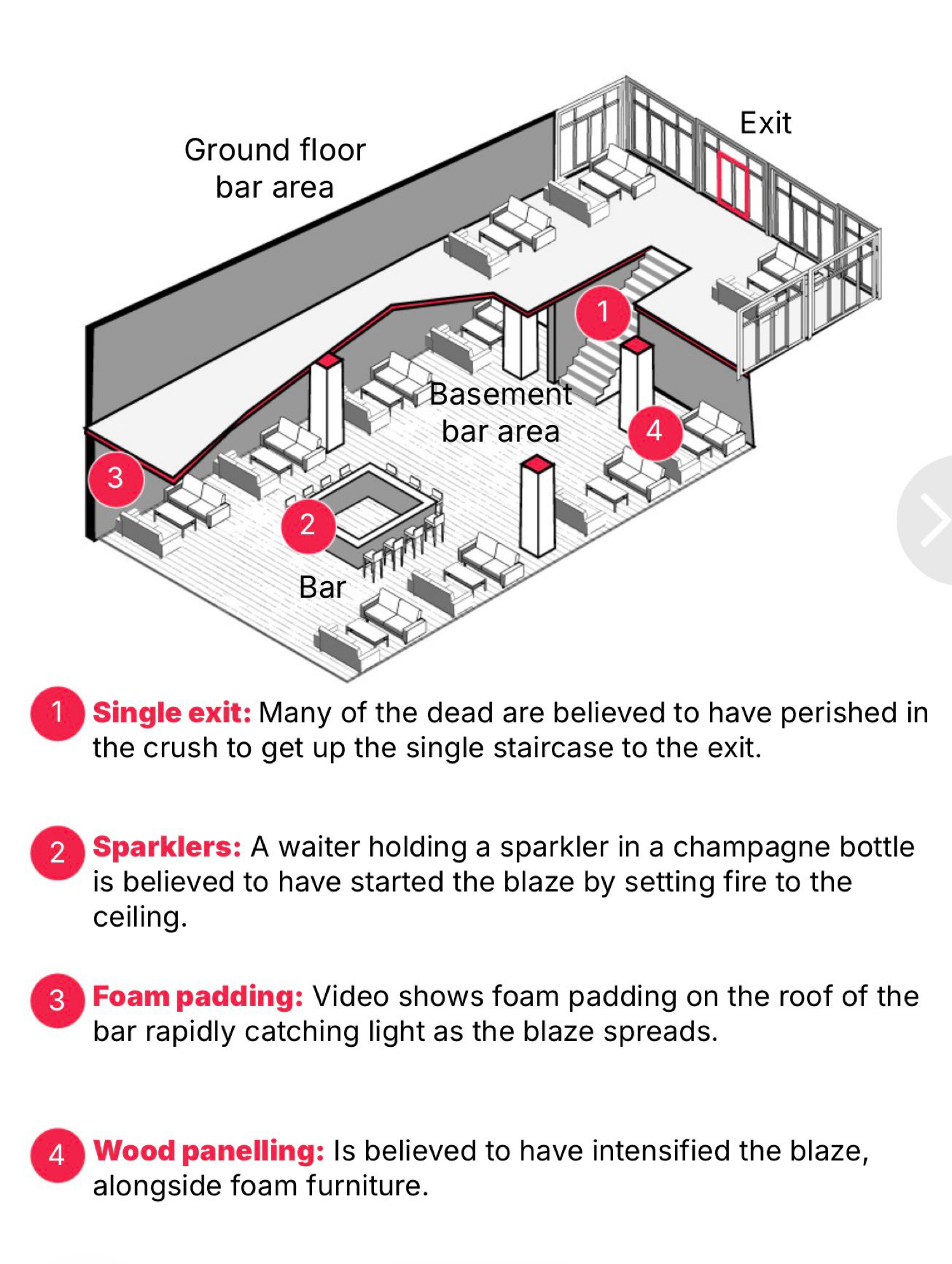
And a reply that includes graphic from the Rhode Island fire
Great hate watch match week. Dropped points, ✅ City ✅ Villa ✅ Chelsea ✅ Liverpool
1 down, 3 to go.
Pretty sure it is Joe + Kamala.Football ... Basketball ... Baseball ... Other Sports ... Futbol ... 🤫995🤫 ... Gambling ... Movies & TV ... Music ... Hobbies ... Lulz ... Food & Travel ... Daily Texan ... Business & Markets ... Cloak Room ... Help ... For Sale ... Board Discussion ... Advertise... Tailgate Donations
Account
Search
Configure browser push notifications
Chrome (Android)
- Tap the lock icon next to the address bar.
- Tap Permissions → Notifications.
- Adjust your preference.
Chrome (Desktop)
- Click the padlock icon in the address bar.
- Select Site settings.
- Find Notifications and adjust your preference.
Safari (iOS 16.4+)
- Ensure the site is installed via Add to Home Screen.
- Open Settings App → Notifications.
- Find your app name and adjust your preference.
Safari (macOS)
- Go to Safari → Preferences.
- Click the Websites tab.
- Select Notifications in the sidebar.
- Find this website and adjust your preference.
Edge (Android)
- Tap the lock icon next to the address bar.
- Tap Permissions.
- Find Notifications and adjust your preference.
Edge (Desktop)
- Click the padlock icon in the address bar.
- Click Permissions for this site.
- Find Notifications and adjust your preference.
Firefox (Android)
- Go to Settings → Site permissions.
- Tap Notifications.
- Find this site in the list and adjust your preference.
Firefox (Desktop)
- Open Firefox Settings.
- Search for Notifications.
- Find this site in the list and adjust your preference.