CowtownHorn
Burnt Ends
-
Joined
Everything posted by CowtownHorn
-
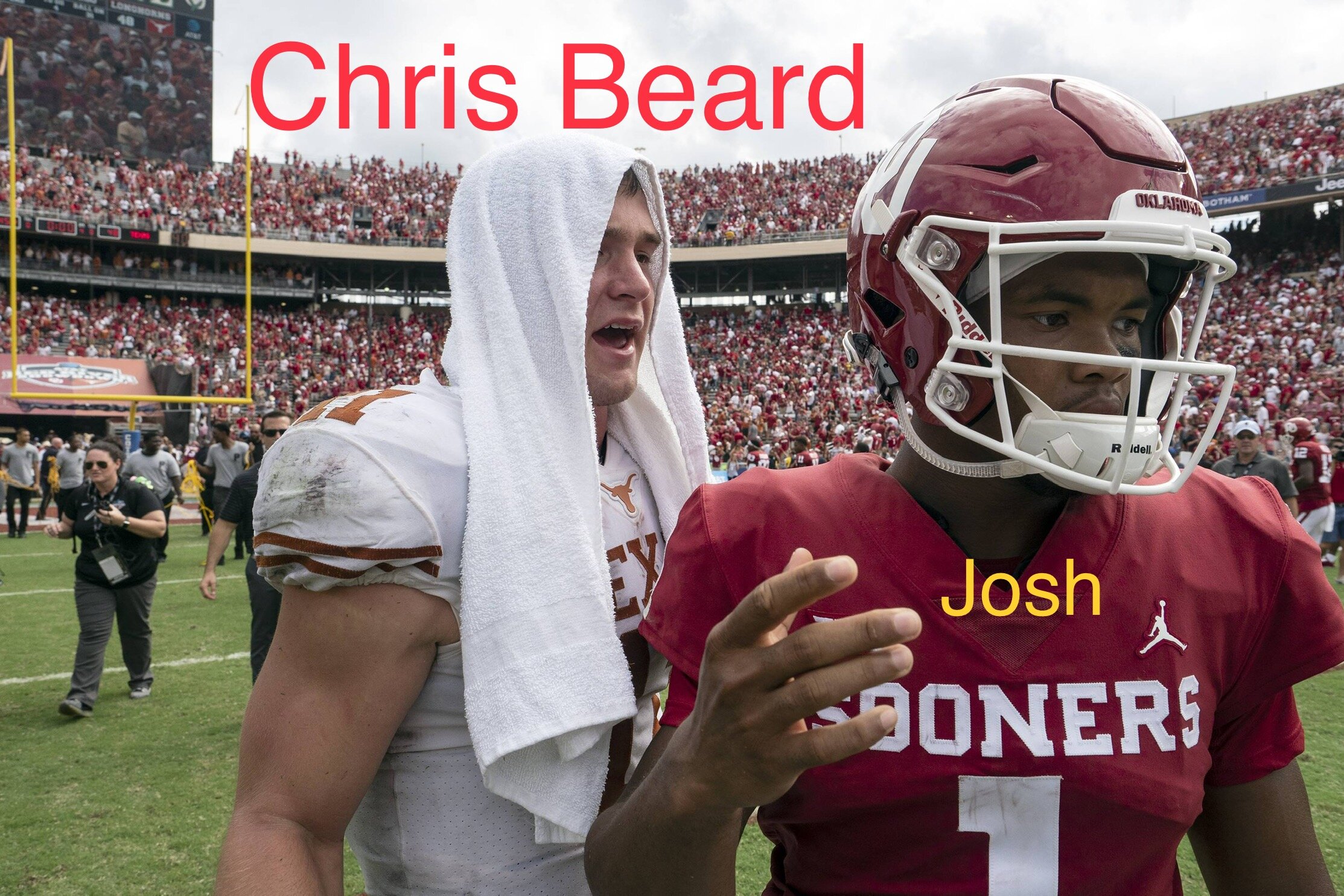
 In defense of Beard, I don’t think he was trying to be tough. It pissed him off a little bit and he went over and asked the guy a simple question. Since the guy yelled that with most of the fans already gone, it must have seemed more personal. When someone says it with a packed house I would think it’s easier to block out. Kind of like the game in Lubbock. I’m sure he heard “traitor” and much worse but never confronted anyone. For just a moment he was a human being that reacted. I think that’s all there is to it and still have zero problem with it.
 -
I don’t think it reflected badly on the university at all. He did what he felt he needed to do. He didn’t yell, it didn’t get physical, and what he said was totally appropriate. Sooner Josh got pantsed and walked away in shame. It was kind of funny and not a big deal at all.
-
Agree 💯
This reminds me of my experience at the KU football game this past season. Had a couple of douchey, drunk KU frat dudes in front of us that were throwing the Horns down after every KU score (which was more than a few). Now normally, a simple fun loving Horns down doesn’t bother me. But these guys were turning around making eye contact with me and everyone else with the smuggest of looks on their face. Well, after a few scores me and another guy finally confronted them. They weren’t so cool then. Their girlfriends were horrified and they all ended up moving somewhere else. But I was shocked at how many Horns fans around us were goofing it up with these guys and even telling us to calm down. These dudes weren’t having fun…they were drunk, straight up taunting, and acting like assholes. 99% of the time I let milder forms of this go with no sweat, but this was different. Still disappointed in some of those lames sitting around us. I don’t see what Beard did as thin-skinned or wrong at all. He simply picked one moment to challenge the guy in a non-threatening manner. I thought it was pretty awesome.
R. C./Jimbo hybrid
 Ok cool Eddie.
Tennessee win aging like fine wine. 🤘
Such a nerdy, childish bit. Traitor that went back to coach at his alma mater.
Hook’em Scottie! 🤘
Ok cool Eddie.
Tennessee win aging like fine wine. 🤘
Such a nerdy, childish bit. Traitor that went back to coach at his alma mater.
Hook’em Scottie! 🤘 In my mind, trying to chalk that up to the typical mid-season, WTF, wake-up call loss. Since then, no doubt they’ve been playing with a sense of urgency. 5-1 with 3 wins over ranked teams. If the by-product of that loss was the nice run they just had…I’ll take it.
❤️
In my mind, trying to chalk that up to the typical mid-season, WTF, wake-up call loss. Since then, no doubt they’ve been playing with a sense of urgency. 5-1 with 3 wins over ranked teams. If the by-product of that loss was the nice run they just had…I’ll take it.
❤️ This thread is nuts.
Football ... Basketball ... Baseball ... Other Sports ... Futbol ... 🤫995🤫 ... Gambling ... Movies & TV ... Music ... Hobbies ... Lulz ... Food & Travel ... Daily Texan ... Business & Markets ... Cloak Room ... Help ... For Sale ... Board Discussion ... Advertise... Tailgate Donations
This thread is nuts.
Football ... Basketball ... Baseball ... Other Sports ... Futbol ... 🤫995🤫 ... Gambling ... Movies & TV ... Music ... Hobbies ... Lulz ... Food & Travel ... Daily Texan ... Business & Markets ... Cloak Room ... Help ... For Sale ... Board Discussion ... Advertise... Tailgate DonationsAccount
Search
Configure browser push notifications
Chrome (Android)
- Tap the lock icon next to the address bar.
- Tap Permissions → Notifications.
- Adjust your preference.
Chrome (Desktop)
- Click the padlock icon in the address bar.
- Select Site settings.
- Find Notifications and adjust your preference.
Safari (iOS 16.4+)
- Ensure the site is installed via Add to Home Screen.
- Open Settings App → Notifications.
- Find your app name and adjust your preference.
Safari (macOS)
- Go to Safari → Preferences.
- Click the Websites tab.
- Select Notifications in the sidebar.
- Find this website and adjust your preference.
Edge (Android)
- Tap the lock icon next to the address bar.
- Tap Permissions.
- Find Notifications and adjust your preference.
Edge (Desktop)
- Click the padlock icon in the address bar.
- Click Permissions for this site.
- Find Notifications and adjust your preference.
Firefox (Android)
- Go to Settings → Site permissions.
- Tap Notifications.
- Find this site in the list and adjust your preference.
Firefox (Desktop)
- Open Firefox Settings.
- Search for Notifications.
- Find this site in the list and adjust your preference.