

Junior Bonner
Burnt Ends
-
Joined
-
Last visited
Everything posted by Junior Bonner
-
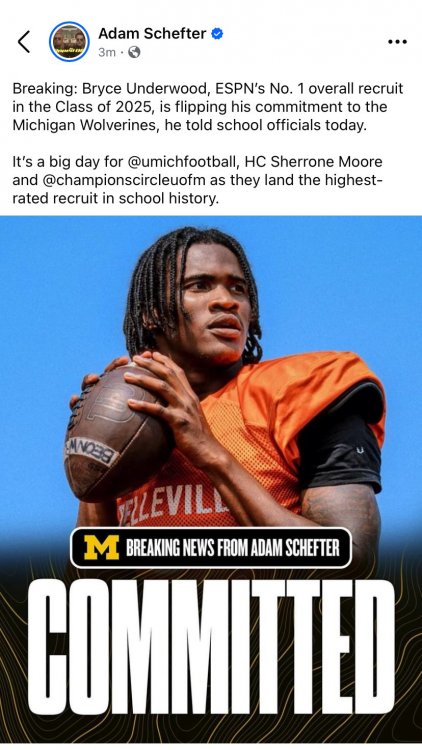
 Let’s see some tears…
 @irishtexan
A unicorn? At left tackle? Everyone knows they fit better in the interior…
Nm
Yes!
@irishtexan
A unicorn? At left tackle? Everyone knows they fit better in the interior…
Nm
Yes! Looks like the Riley to USC and Venables to OU thing is working out horribly for all parties. You hate to see it…
I think we’re allowed to have more than one bad ass linebacker at a time. Just saying…
Was he able to gain weight? That’s hereditary, y’know…
For the Love of God, take this all this whiny-ass shit to that toxic cesspool known as the Football Board
We expecting any commitments this weekend? Btw, the Cocks are hammering OU. And South Carolina is also winning the football game….
Neither has tu, stoopid sip!
Well played…
Looks like the Riley to USC and Venables to OU thing is working out horribly for all parties. You hate to see it…
I think we’re allowed to have more than one bad ass linebacker at a time. Just saying…
Was he able to gain weight? That’s hereditary, y’know…
For the Love of God, take this all this whiny-ass shit to that toxic cesspool known as the Football Board
We expecting any commitments this weekend? Btw, the Cocks are hammering OU. And South Carolina is also winning the football game….
Neither has tu, stoopid sip!
Well played…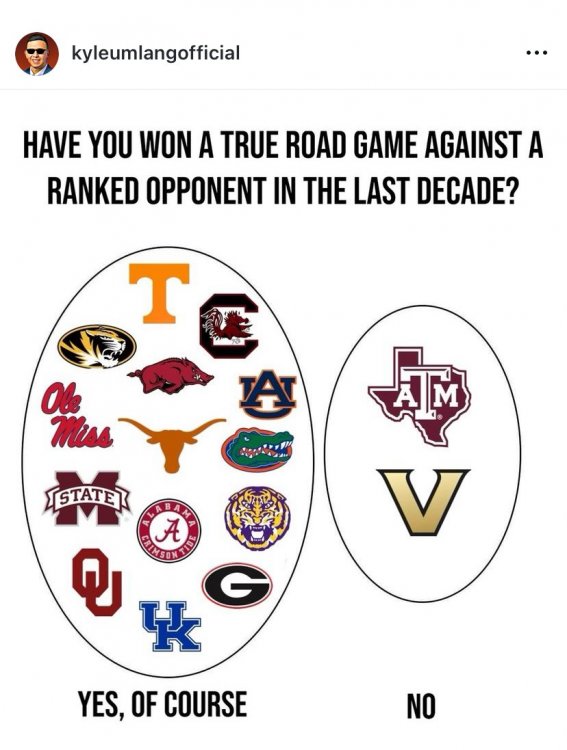 ST Jackknife - Gunner, Kicker, and Long Snapper. Might return, as well.
Too much analysis. Why can’t he just make a list?
Good night. Hook’em.🤘🤘🤘
ST Jackknife - Gunner, Kicker, and Long Snapper. Might return, as well.
Too much analysis. Why can’t he just make a list?
Good night. Hook’em.🤘🤘🤘 Yes!
Yes! Nm
Nm









Football ...
Basketball ...
Baseball ...
Other Sports ...
Futbol ...
🤫995🤫 ...
Gambling ...
Movies & TV ...
Music ...
Hobbies ...
Lulz ...
Food & Travel
...
Daily Texan ...
Business & Markets ...
Cloak Room ...
Help ...
For Sale ...
Board Discussion ...
Advertise...
Tailgate Donations
Account
Search
Configure browser push notifications
Chrome (Android)
- Tap the lock icon next to the address bar.
- Tap Permissions → Notifications.
- Adjust your preference.
Chrome (Desktop)
- Click the padlock icon in the address bar.
- Select Site settings.
- Find Notifications and adjust your preference.
Safari (iOS 16.4+)
- Ensure the site is installed via Add to Home Screen.
- Open Settings App → Notifications.
- Find your app name and adjust your preference.
Safari (macOS)
- Go to Safari → Preferences.
- Click the Websites tab.
- Select Notifications in the sidebar.
- Find this website and adjust your preference.
Edge (Android)
- Tap the lock icon next to the address bar.
- Tap Permissions.
- Find Notifications and adjust your preference.
Edge (Desktop)
- Click the padlock icon in the address bar.
- Click Permissions for this site.
- Find Notifications and adjust your preference.
Firefox (Android)
- Go to Settings → Site permissions.
- Tap Notifications.
- Find this site in the list and adjust your preference.
Firefox (Desktop)
- Open Firefox Settings.
- Search for Notifications.
- Find this site in the list and adjust your preference.