Born Burnt
Legacy Members
-
Joined
Everything posted by Born Burnt
-
 Preferably not on the freeway.
 -
Not gonna lie, I love that shit.

-
What do you think this place is filled with?
"...and then he's going to worry about the football stuff."
Was it worth it? Absolutely...I'd do it again in a heartbeat. You know, there's a way to make that happen...
Burned as bad as Taaffe?
Uh, the fight happened on Feb. 4, and VY was a key speaker in Austin two weeks later for a Black History Month event at the University of Texas. So he's probably not in a coma, at least not from this incident.
Or post this version just cuz...
 Sadly, yes. https://thespun.com/more/top-stories/stephen-a-smiths-bold-final-four-prediction-is-going-viral
Yep. Know a guy who left a bar and realized he shouldn't drive, so he decided to sleep it off in his driver's seat. Cops found him in the parking lot and arrested him because they said the key in the ignition showed intent to drive.
Live update...
Sadly, yes. https://thespun.com/more/top-stories/stephen-a-smiths-bold-final-four-prediction-is-going-viral
Yep. Know a guy who left a bar and realized he shouldn't drive, so he decided to sleep it off in his driver's seat. Cops found him in the parking lot and arrested him because they said the key in the ignition showed intent to drive.
Live update...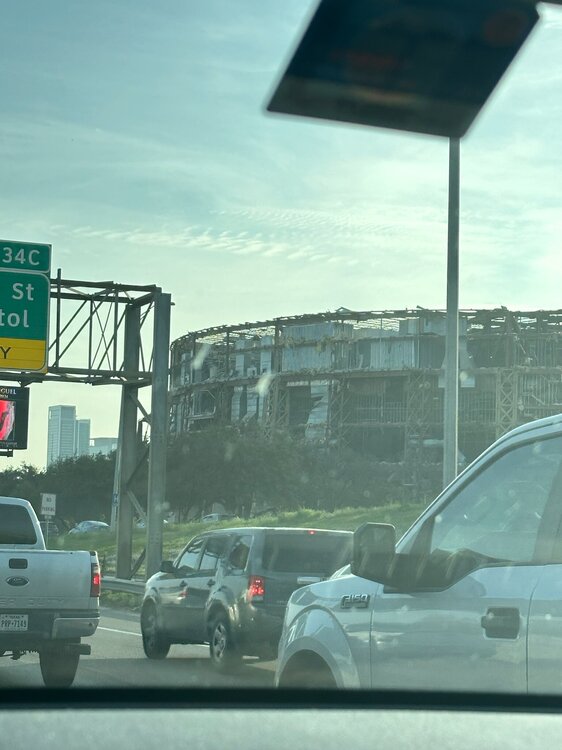 GENTLEMEN'S AGREEMENT 🤝
Football ... Basketball ... Baseball ... Other Sports ... Futbol ... 🤫995🤫 ... Gambling ... Movies & TV ... Music ... Hobbies ... Lulz ... Food & Travel ... Daily Texan ... Business & Markets ... Cloak Room ... Help ... For Sale ... Board Discussion ... Advertise... Tailgate Donations
GENTLEMEN'S AGREEMENT 🤝
Football ... Basketball ... Baseball ... Other Sports ... Futbol ... 🤫995🤫 ... Gambling ... Movies & TV ... Music ... Hobbies ... Lulz ... Food & Travel ... Daily Texan ... Business & Markets ... Cloak Room ... Help ... For Sale ... Board Discussion ... Advertise... Tailgate DonationsAccount
Search
Configure browser push notifications
Chrome (Android)
- Tap the lock icon next to the address bar.
- Tap Permissions → Notifications.
- Adjust your preference.
Chrome (Desktop)
- Click the padlock icon in the address bar.
- Select Site settings.
- Find Notifications and adjust your preference.
Safari (iOS 16.4+)
- Ensure the site is installed via Add to Home Screen.
- Open Settings App → Notifications.
- Find your app name and adjust your preference.
Safari (macOS)
- Go to Safari → Preferences.
- Click the Websites tab.
- Select Notifications in the sidebar.
- Find this website and adjust your preference.
Edge (Android)
- Tap the lock icon next to the address bar.
- Tap Permissions.
- Find Notifications and adjust your preference.
Edge (Desktop)
- Click the padlock icon in the address bar.
- Click Permissions for this site.
- Find Notifications and adjust your preference.
Firefox (Android)
- Go to Settings → Site permissions.
- Tap Notifications.
- Find this site in the list and adjust your preference.
Firefox (Desktop)
- Open Firefox Settings.
- Search for Notifications.
- Find this site in the list and adjust your preference.